
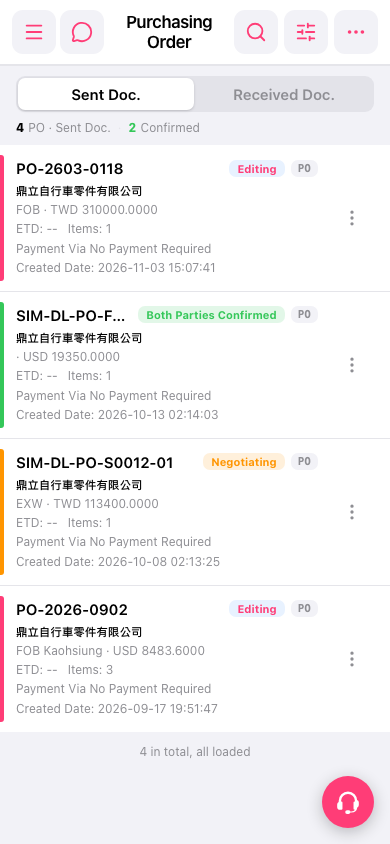
1. Go to the Purchasing Order page. 2. To find a specific PO, tap the search icon at the upper right and enter the PO number or supplier. 3. To narrow down the list, tap the filter icon next to the search icon and set the filter conditions. 4. To add a new PO, tap the "⋯" (more) menu at the upper right and check whether there is an add option. The screen analysis only confirmed that this menu may contain an add function, so please go by what you see on your own screen. 5. When you need to contact customer support, tap the floating customer support icon at the lower right.
 手機版|Purchasing Order