
1. On the "Quotations" page, tap the search icon at the upper right and enter the quotation number or customer name. 2. To narrow down the list first, tap the filter icon at the upper right (the slider-shaped icon) and set filter or sort conditions. 3. Tap any quotation to view its details. 4. To perform other actions on a single quotation, tap the "⋮" on the right side of that quotation, then choose the action you want from the menu that appears. 5. If you run into problems while working, tap the customer support icon (headset) at the lower right to contact customer support or get help.
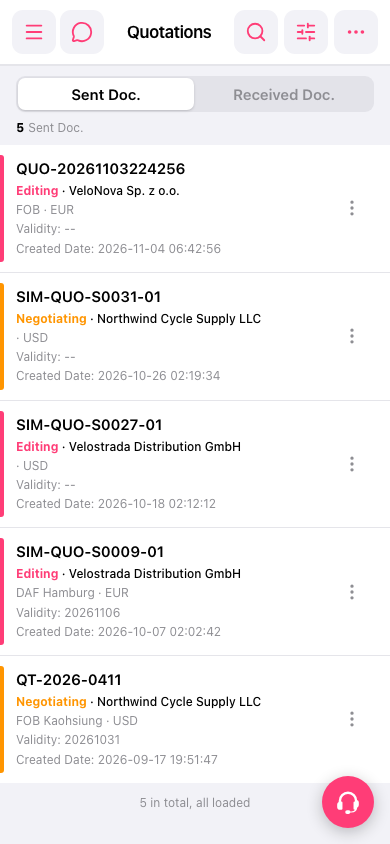 手機版|Quotations(報價單)