
1. Go to the mobile Dashboard and make sure the tab at the top is on "Analytics v1.0". 2. In the "Sellers' Product Pages" list, find the seller card you want to view, for example Patisco 全服務, O2 City E-Bikes, or 晟達鏈條型錄. 3. Check the number of items (Items), the currency (Currency), and the trading terms (Trading terms) on the card. 4. Tap the card, or tap the ">" arrow on the right, to open that seller's catalog and product page.
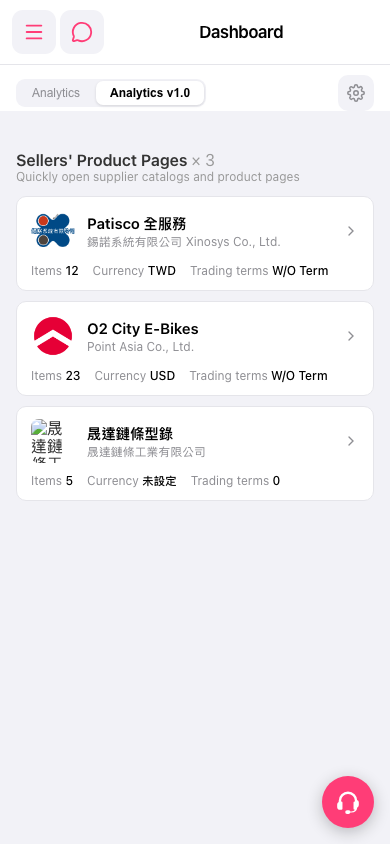 手機版|Dashboard(儀表板)