
1. On the Quotation page, click “Sent” or “Received” at the top left of the list to switch between quotation lists. 2. Above the list, select a search field, such as “Quotation Number”, and enter a keyword in “Enter a keyword to search”. You can also click “Filter” to narrow your search. 3. Once you find the quotation, you can check its buyer, currency, expiration date, and status in the list.
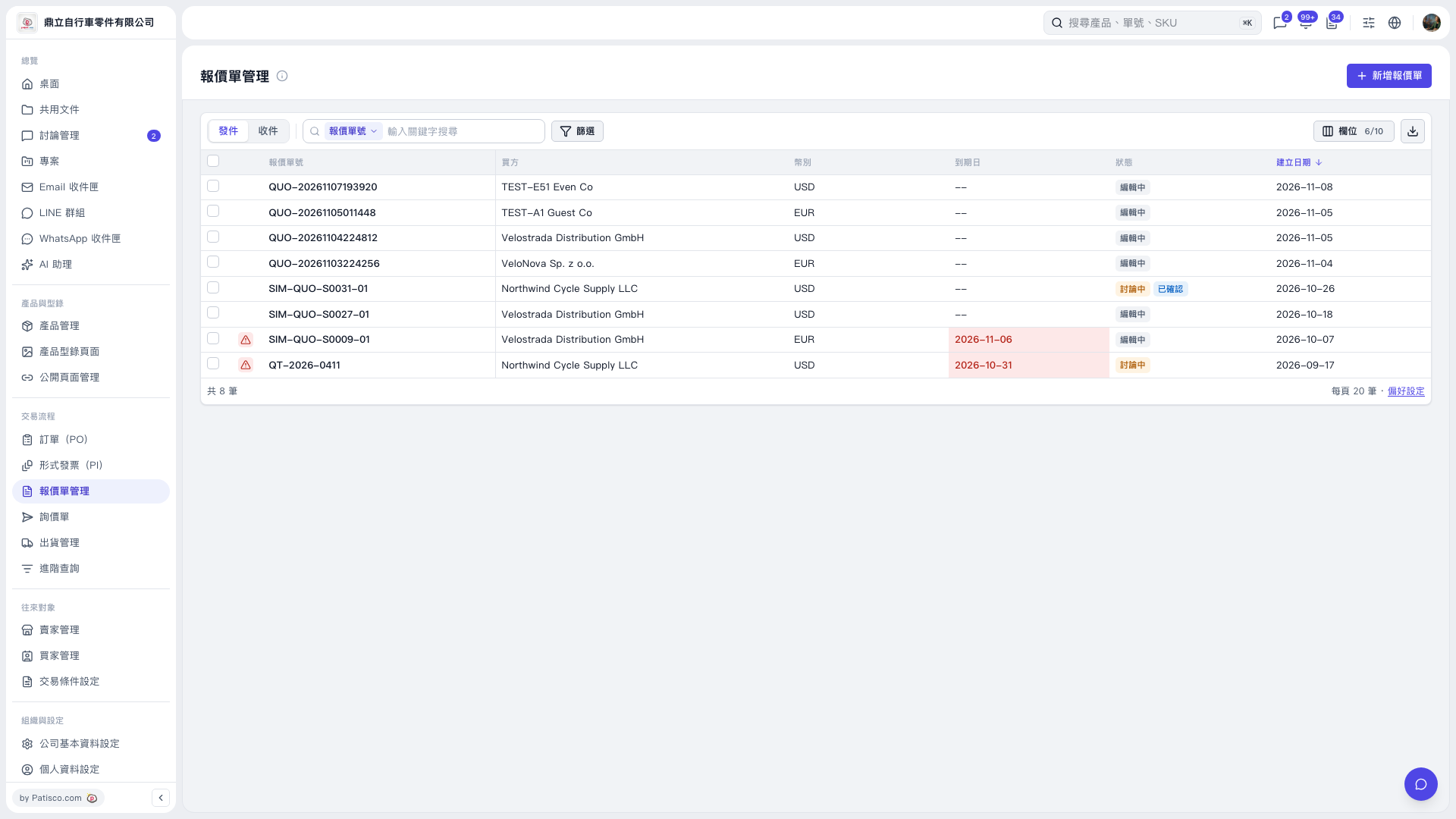 V5 新桌面版|報價單管理