
1. Find the item you want to change in the quotation’s “Item list.” 2. Click the “Unit price” field in that row, delete the existing amount, and press Enter to save. Press Esc to cancel. 3. After saving, the unit price displays “USD –” and the subtotal displays “–.” The existing price tier, “USD 20 for 100 units or more,” is retained. 4. To change multiple fields at once, click “Edit” on the right of the row to edit the entire row.
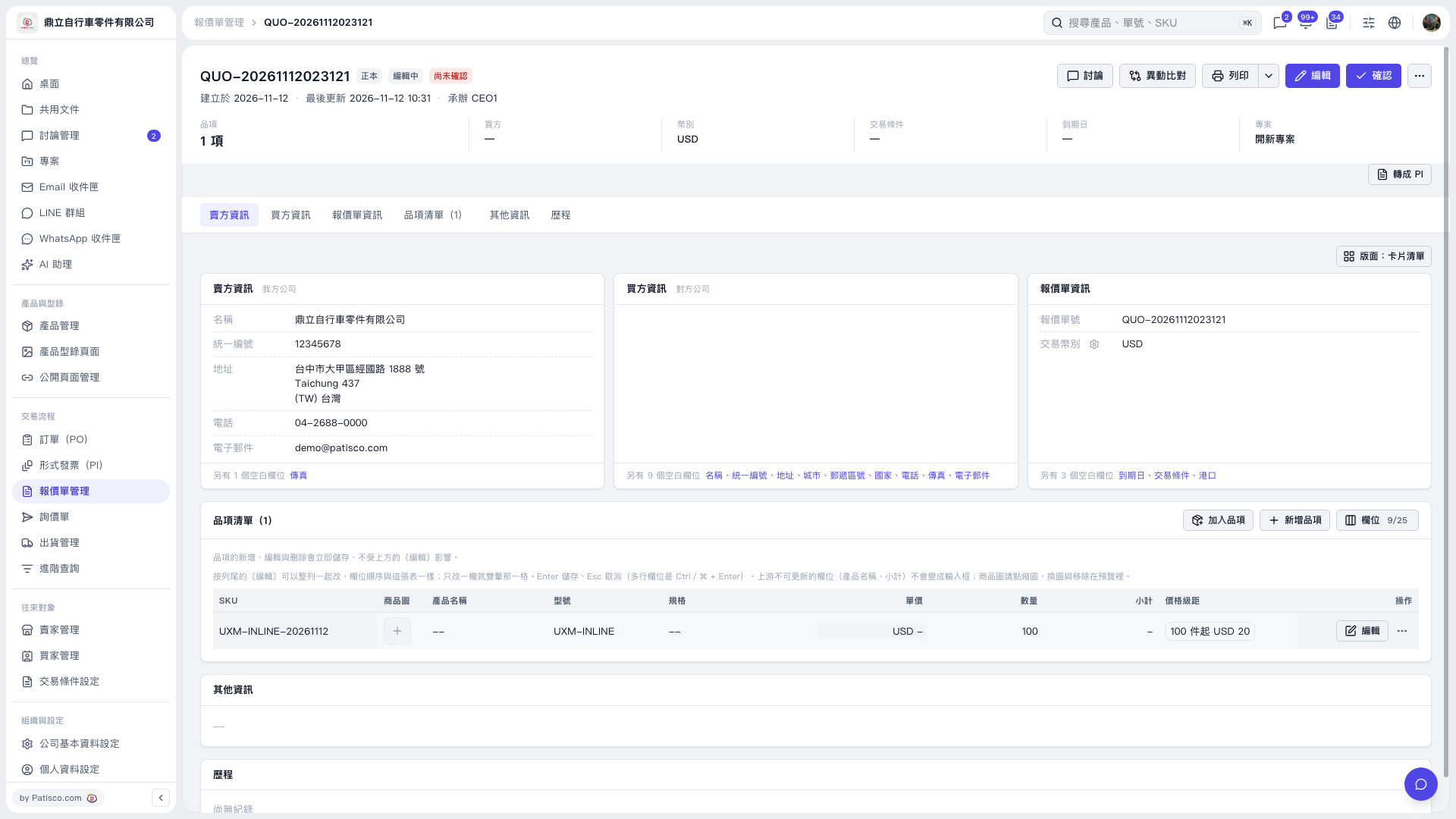 V5 新桌面版|報價單 QUO-20261112023121