
1. Open the quotation and find the item you want to change in the “Item list.” 2. Click “Edit” on the right of the row to edit the entire row and save. You can also double-click an editable “Quantity” or “Minimum order quantity” cell to change it directly. 3. When editing a single cell, press Enter to save or Esc to cancel. For multiline fields, use Ctrl/⌘ + Enter to save. 4. After saving, check the displayed values. The “Minimum order quantity” on the current screen is 100. The available information does not confirm whether it can be saved after being cleared.
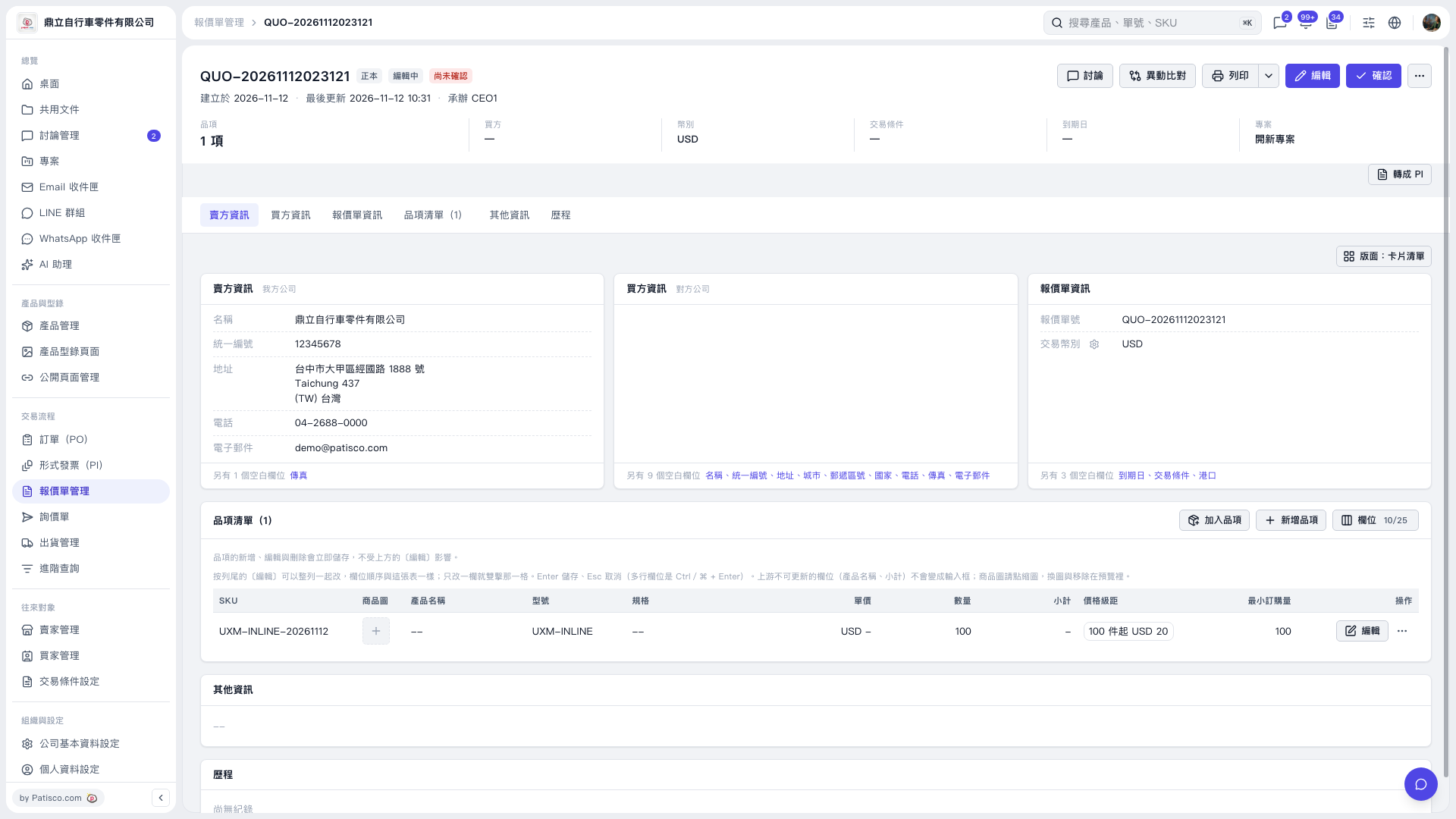 V5 新桌面版|QUO-20261112023121