
1. Open the quotation and find the product you want to change in the "Item List". 2. Click "Edit" on the right of the item to change "Quantity" or "Minimum Order Quantity". If the cell can be edited directly, you can also click it to make changes, then press Enter to save or Esc to cancel. 3. Verify the updated quantity, price tiers, and minimum order quantity. The quantity and minimum order quantity for this item are both 100 on the current screen.
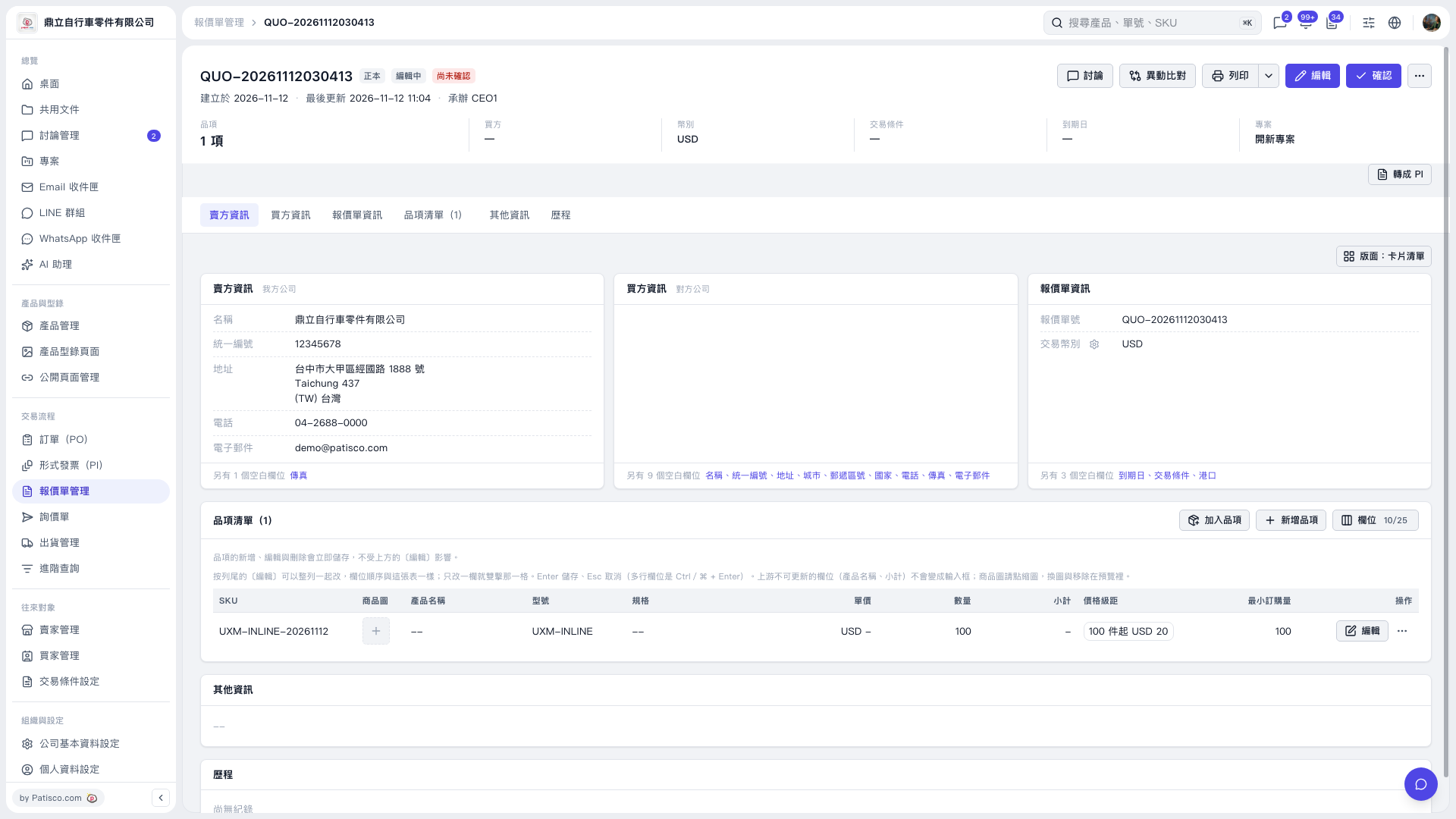 V5 新桌面版|QUO–20261112030413