
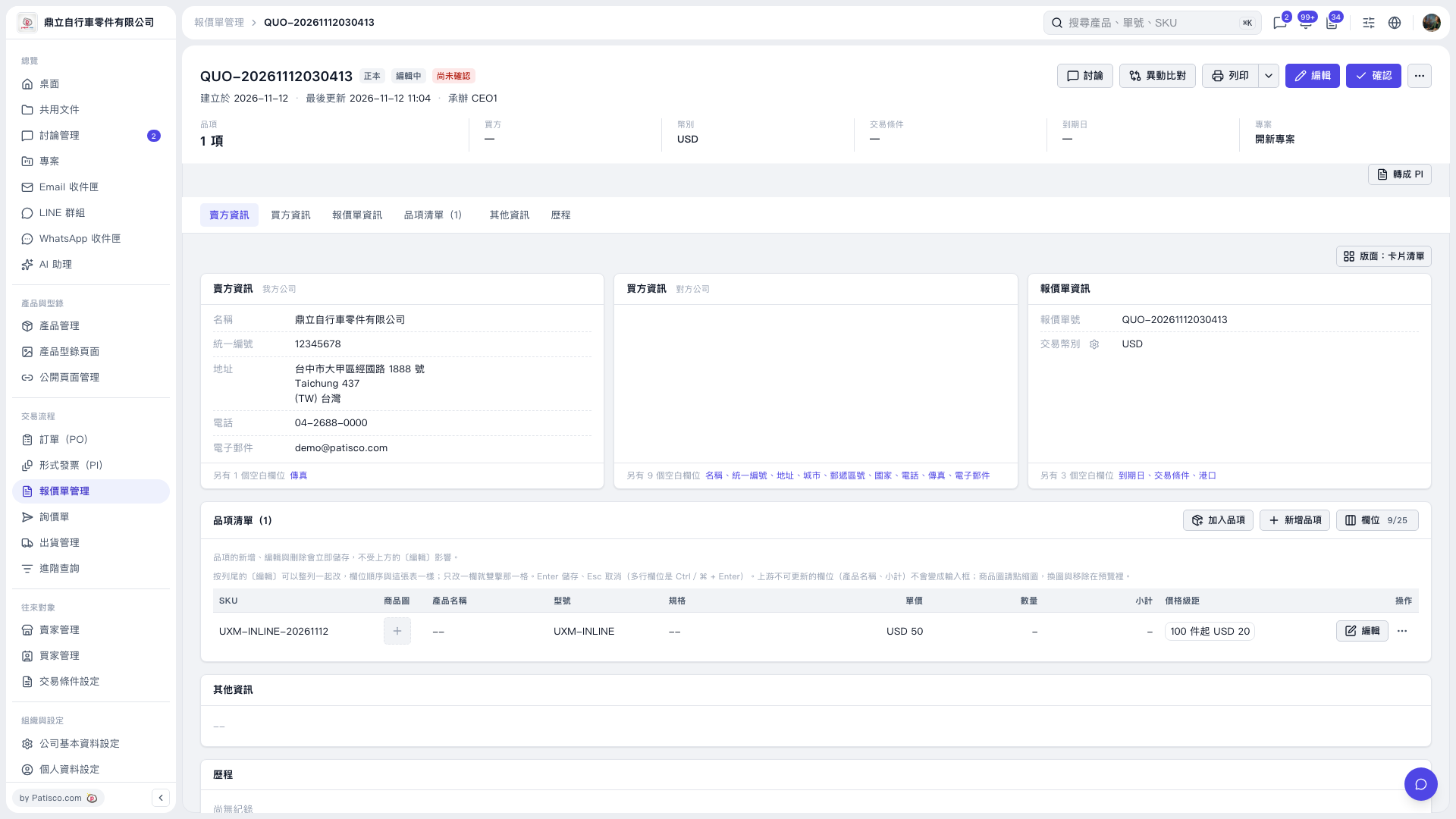
1. Check "Unit Price" and "Quantity" in the quotation's "Item List." In this example, the unit price shows "USD 50," but no quantity has been entered, so "Subtotal" shows "–." 2. To enter a quantity, double-click the "Quantity" cell, enter the quantity, and press Enter to save. To cancel the change, press Esc. 3. After saving, check "Subtotal" to confirm the quoted amount.
 V5 新桌面版|QUO-20261112030413