
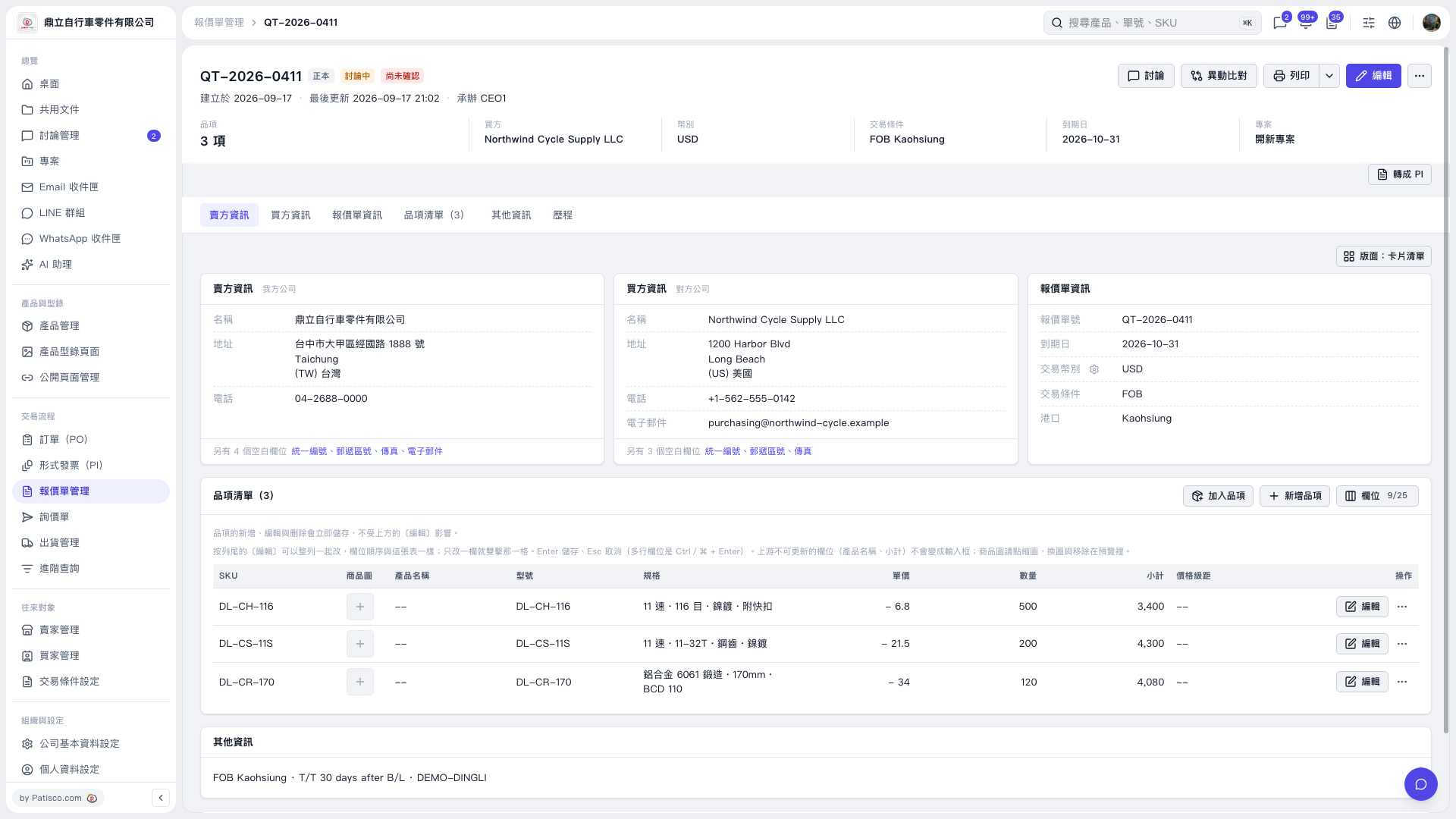
1. Open the quotation and check the buyer, transaction currency, trading conditions, and expiration date. 2. To edit the quotation’s basic information, click “Edit” in the upper-right corner of the page. 3. To add quotation items, go to “Item list” and click “Add items” or “New item”. 4. To edit an existing item, click “Edit” on the right side of its row. After making changes, press Enter to save or Esc to cancel. Item additions, edits, and deletions are saved immediately.
 V5 新桌面版|QT–2026–0411