
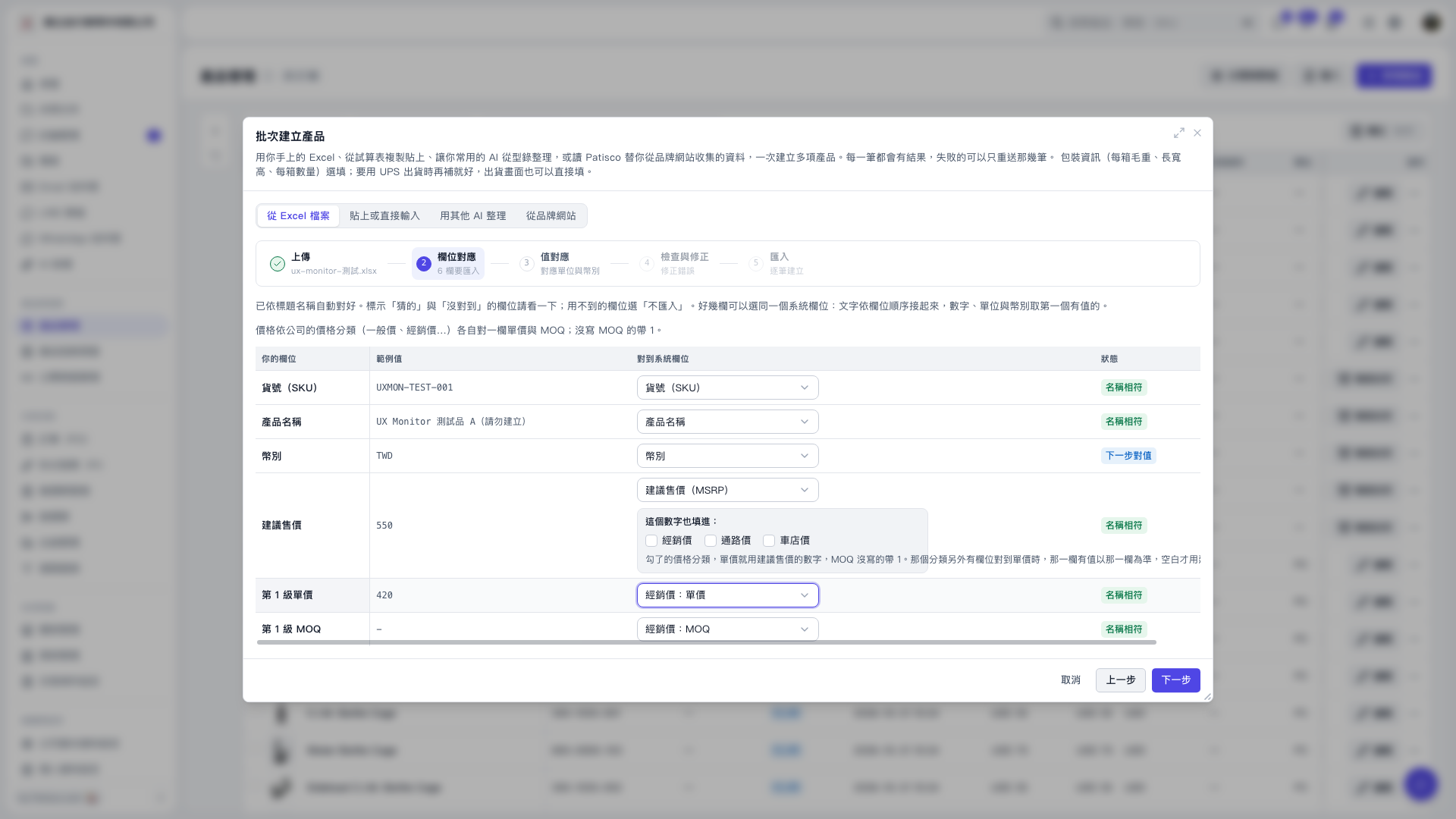
1. In the "Batch Create Products" section under "From Excel File", confirm the "Your Column" and "Example Values" of the uploaded data. 2. Use the "Map to System Column" dropdown for each row to map "Level 1 Unit Price" to "Distributor Price: Unit Price" and "Level 1 MOQ" to "Distributor Price: MOQ". Also map the unit price and MOQ for other price classifications respectively. When MOQ is not provided, the system defaults to 1. 3. Select "Do Not Import" for columns you don't need. After confirming, click "Next Step" to continue mapping currency and other field values.
 V5 新桌面版|批次建立產品