
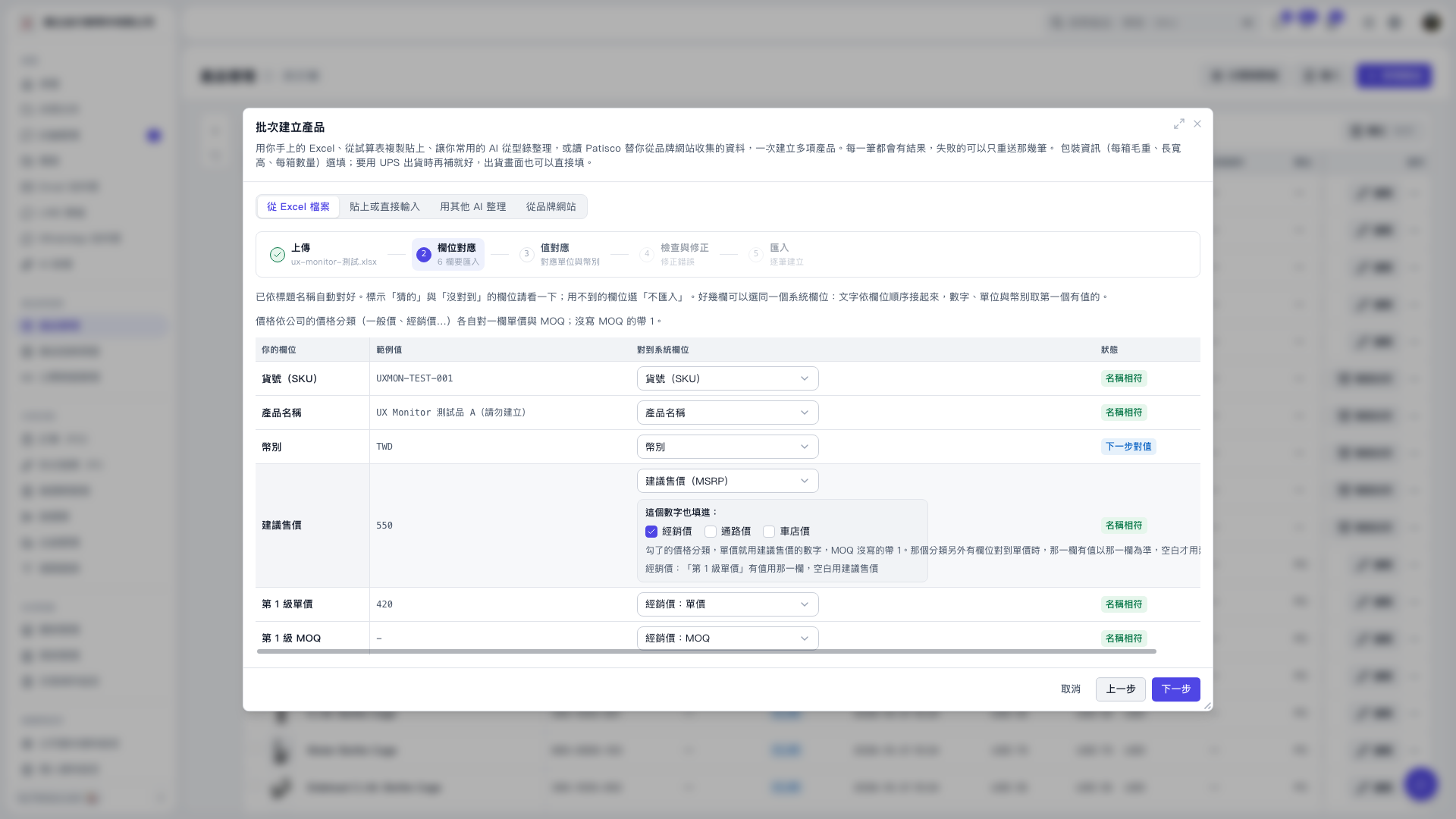
1. In the "Batch Create Products" section under "From Excel File", map the suggested retail price column from the source to "Suggested Retail Price (MSRP)". 2. Below the suggested retail price row, under "Also fill this into:", check the price classifications you want to apply. Options include "Distributor Price", "Channel Price", or "Dealer Price". The current screen already has "Distributor Price" checked. 3. If a price classification has another corresponding unit price column, when that column has a value, it will be used first. If it is empty, the suggested retail price will be used. 4. After confirming, click "Next Step" to proceed to unit and currency value mapping.
 V5 新桌面版|批次建立產品