
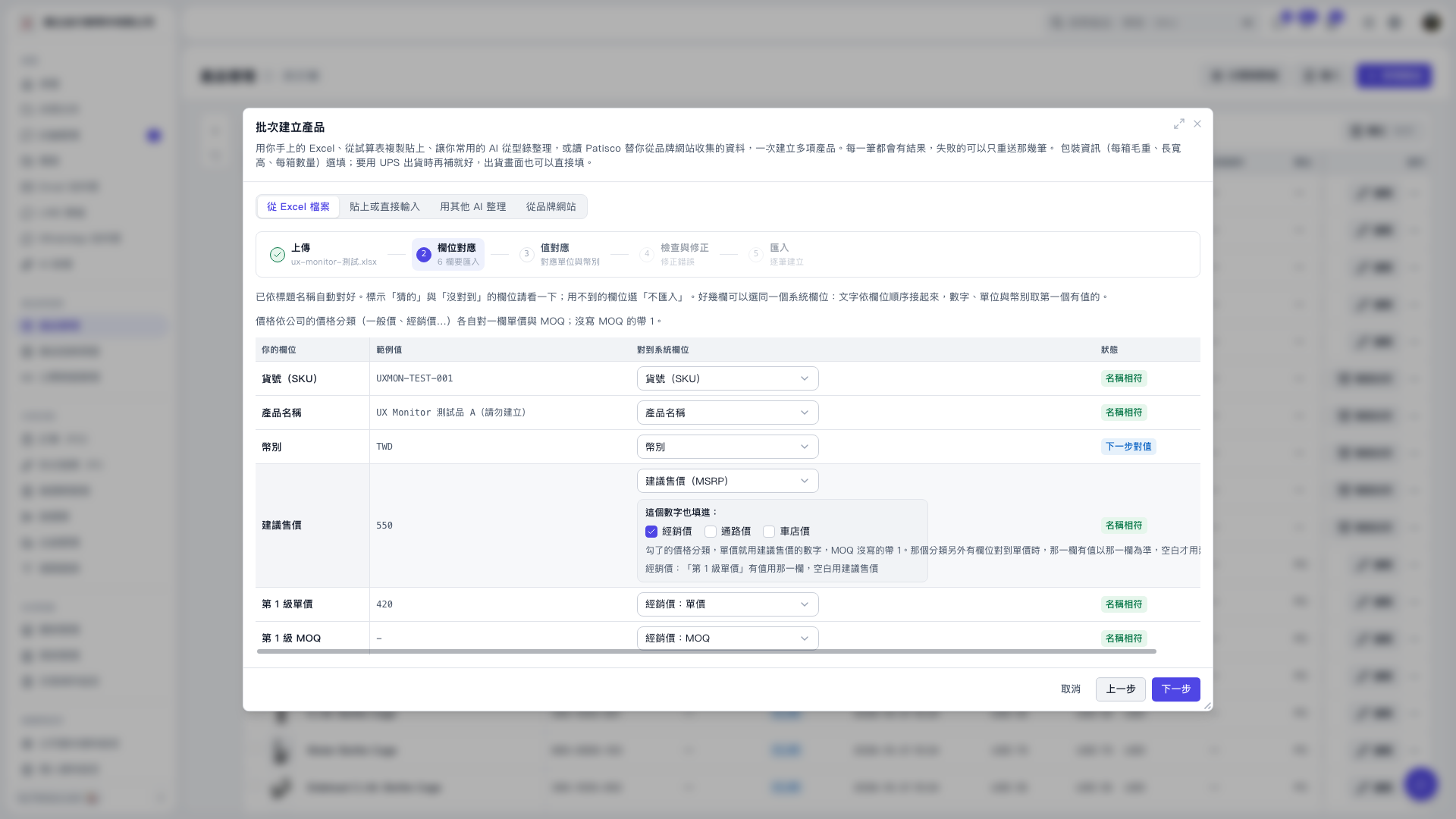
1. In the field mapping table, compare "your fields" with "sample values", and pay special attention to items marked as "guessed" or "not matched" in the "Status" column. 2. Use the "Map to system field" dropdown for each row to specify the correct field; select "Do not import" for fields you don't need to import. 3. Confirm that SKU is mapped to "Product Number (SKU)", and check that "Product Name", "Currency", and unit prices and MOQ for each price category are correctly mapped. If MOQ is not filled, the default value is 1. 4. After confirming, click "Next" to continue mapping values for units and currencies.
 V5 新桌面版|批次建立產品