
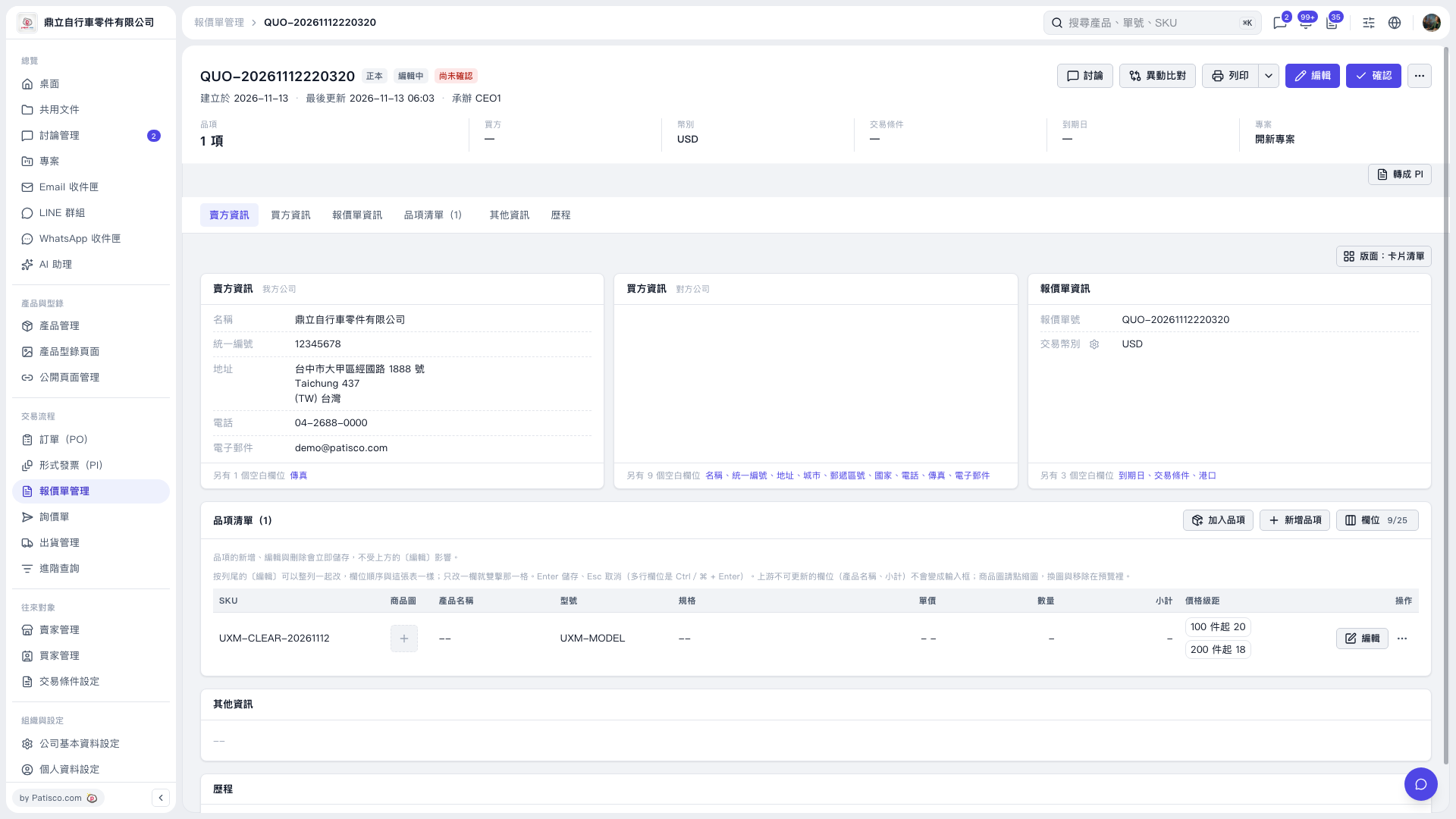
1. Find the item to be adjusted in the "Item list", and confirm the SKU and model number. 2. Click "Edit" on the right side of the item, clear the "Quantity" and "Unit price", and keep the original "Price tier" as is; save when done. 3. Return to the list to verify: "Unit price", "Quantity", and "Subtotal" will display dashes, and the original price tier will still remain. After this test refresh and reopening, the quantity and unit price remain empty.
 V5 新桌面版|QUO-20261112220320