
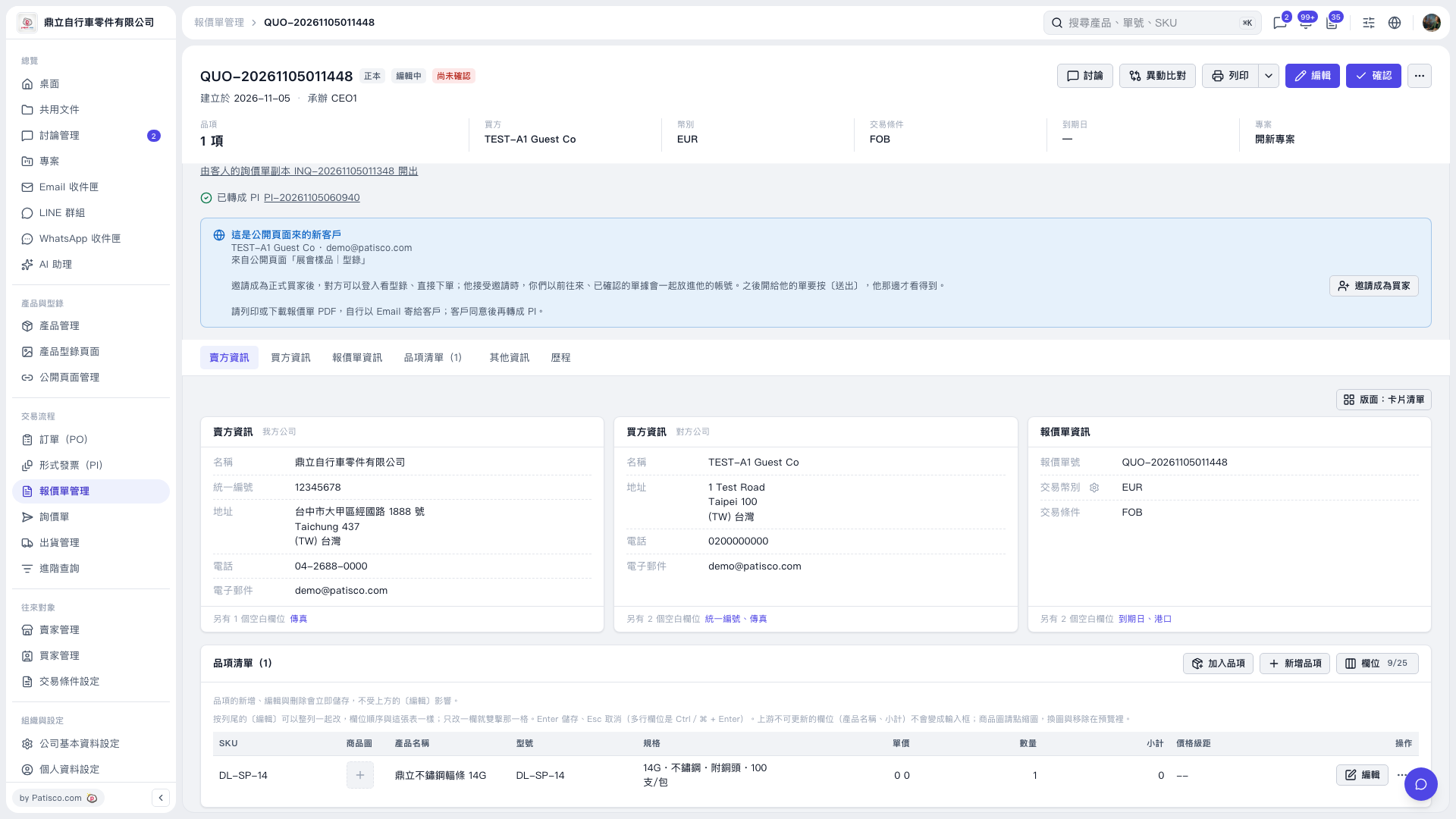
1. Open the quotation and verify the quotation number, buyer, trading currency, and trading terms at the top. 2. Find the "Converted to PI" notification at the top of the page and confirm that the quotation has a corresponding Proforma Invoice. 3. Click the "PI-20261105060940" link next to the notification to open the corresponding Proforma Invoice and view the subsequent transaction data.
 V5 新桌面版|QUO-20261105011448