
1. On the Proforma Invoice details page, first verify the PI number, buyer, amount, trading terms, and payment status in the header. 2. Click "Buyer Information", "Shipping Information", "Order General Information", or "Item List (1)" at the top to view the corresponding data. 3. If you need to adjust the columns displayed in the item table, click "Fields 8/25" at the top right of the item list. 4. After verification is complete, click "Print" at the top right to output the Proforma Invoice.
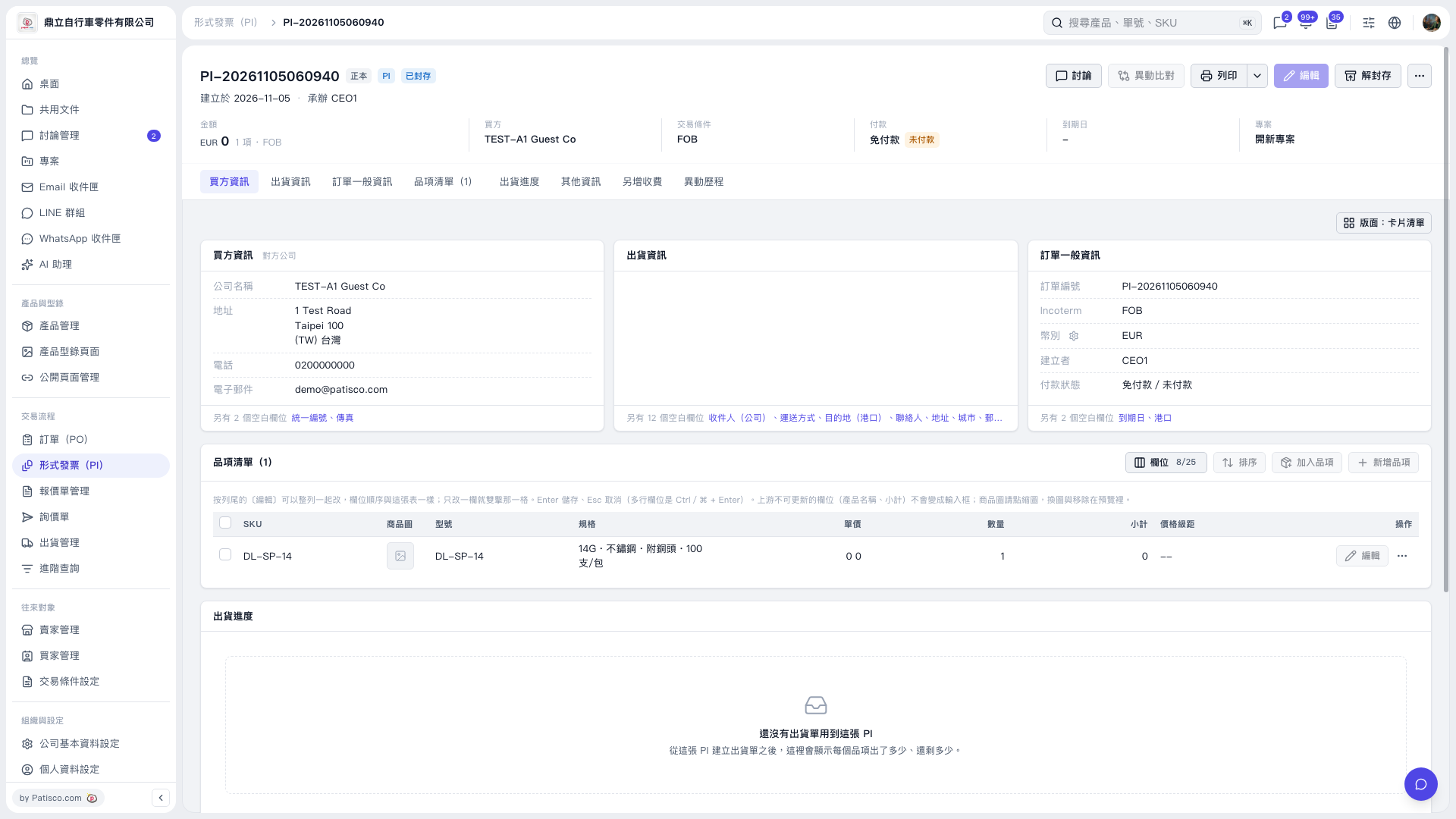 V5 新桌面版|形式發票(PI)詳情:PI-20261105060940