
1. On the PO details page, first check the PO number, seller, amount, trading conditions, and payment status at the top. 2. Click “Edit” in the upper right to edit the PO information. 3. Review the changes and, if needed, click “Diff View” to check them. 4. After confirming the contents, click “Submit” in the upper right. The current screen shows unsubmitted changes, so you need to submit them to complete this step.
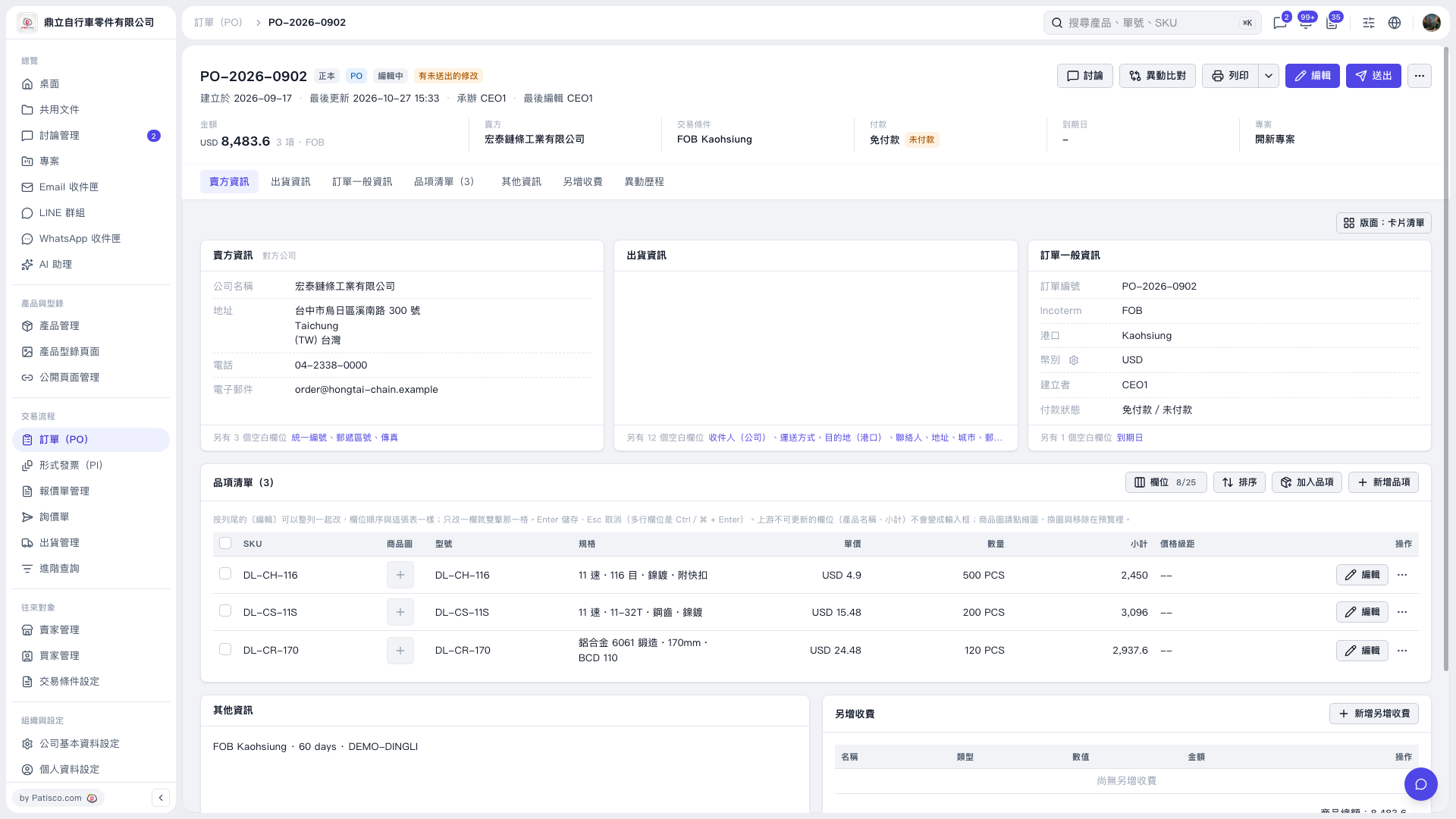 V5 新桌面版|PO-2026-0902