
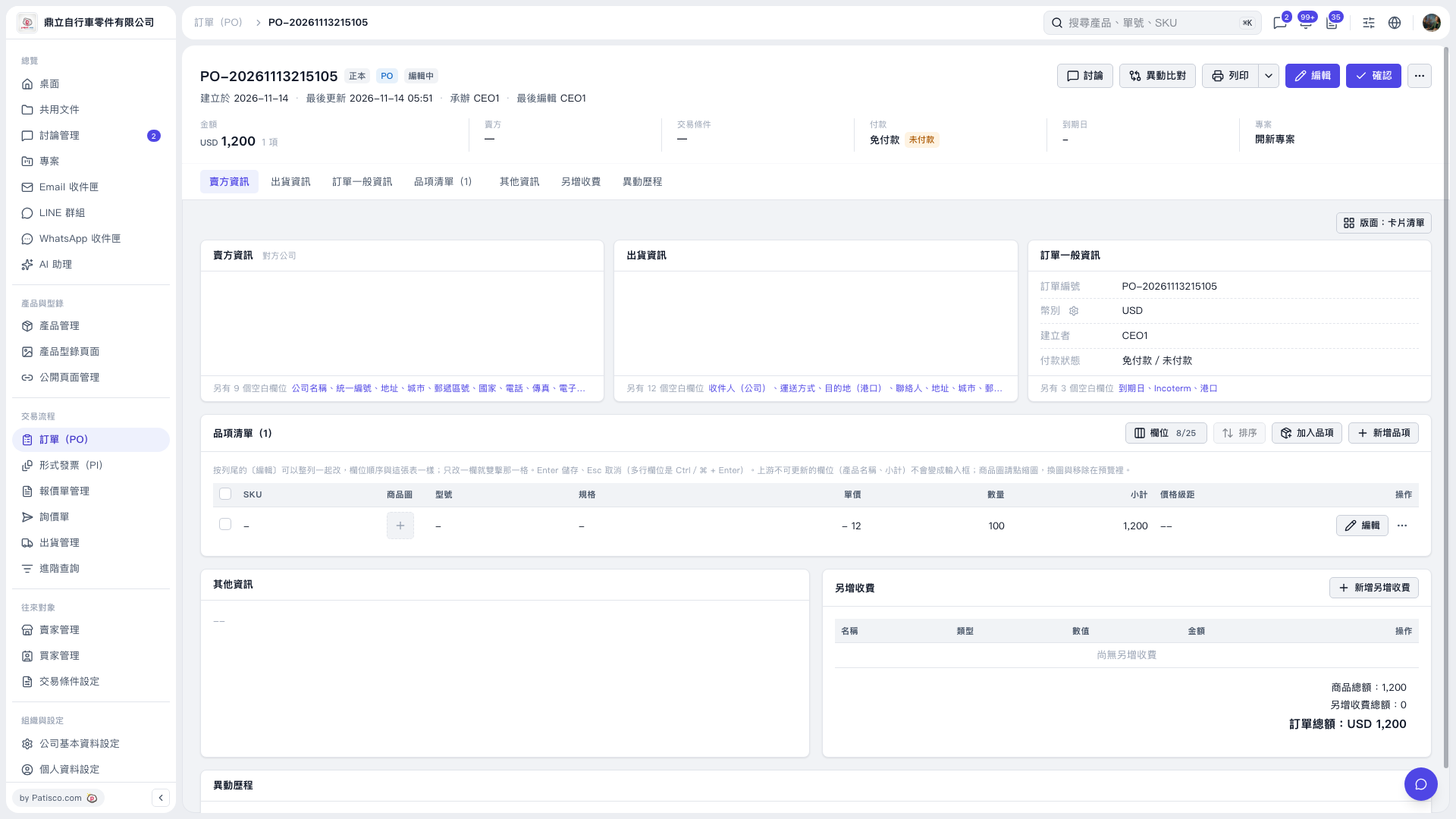
1. Open the PO you want to edit and click "Edit" at the top right. 2. In the "Item List", find the item you want to edit, click "Edit" on the right side of its row, and update the item details. 3. To add items, use "Add Items" or "New Item". If there are extra charges, click "Add Additional Charge". 4. After checking the items, quantities, amounts, and "PO Total", click "Confirm" at the top right.
 V5 新桌面版|PO-20261113215105