
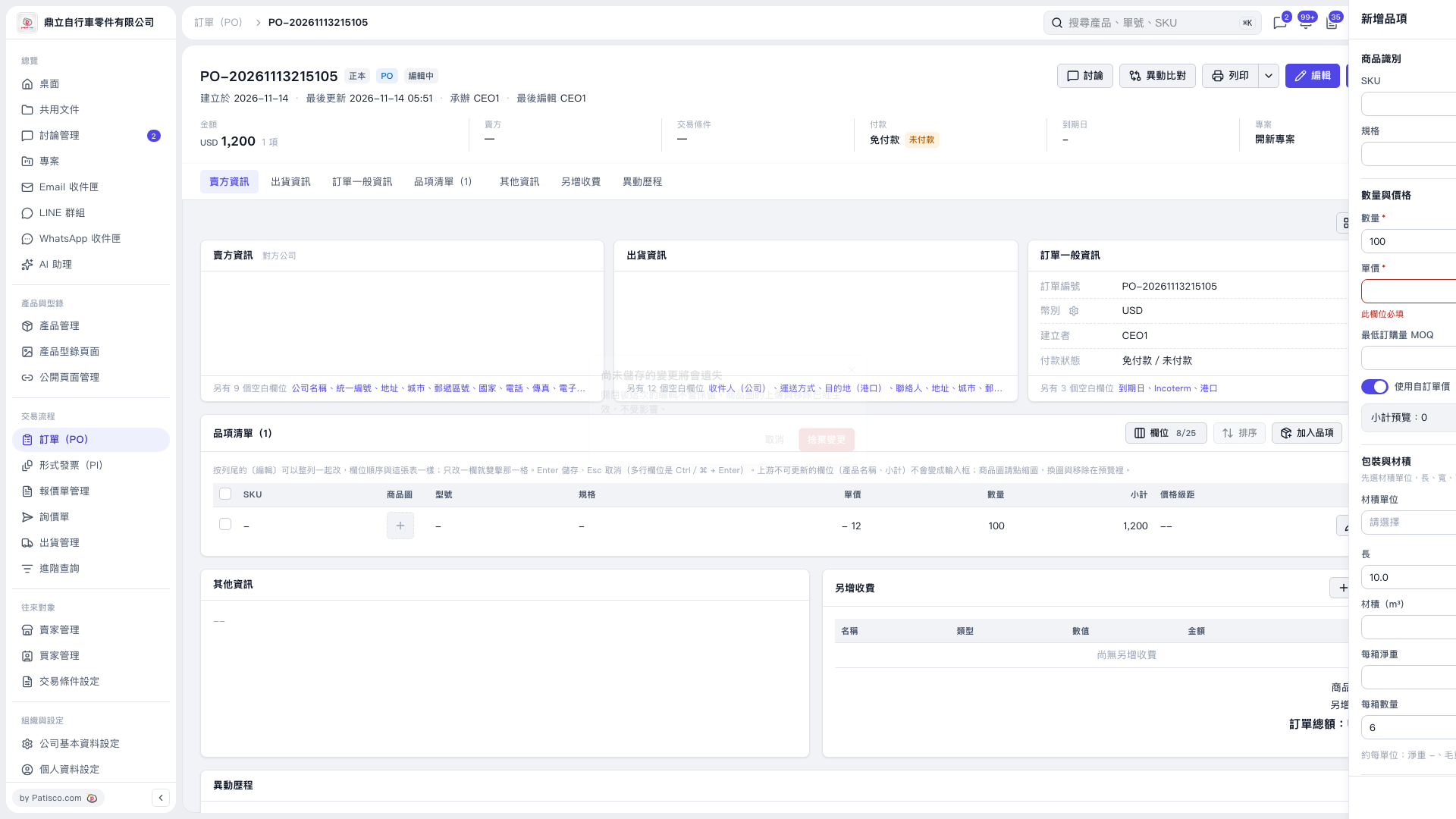
1. Click “Add Item” at the upper right of the item list on the PO page to open the form on the right. 2. Enter the SKU, specifications, and required “Quantity”. 3. Enter a price in “Unit Price”. If left blank, the field will have a red border and display “This field is required”. 4. Confirm the “Use Custom Unit Price” setting and “Subtotal Preview”, then check that all required fields are complete.
 V5 新桌面版|PO–20261113215105