
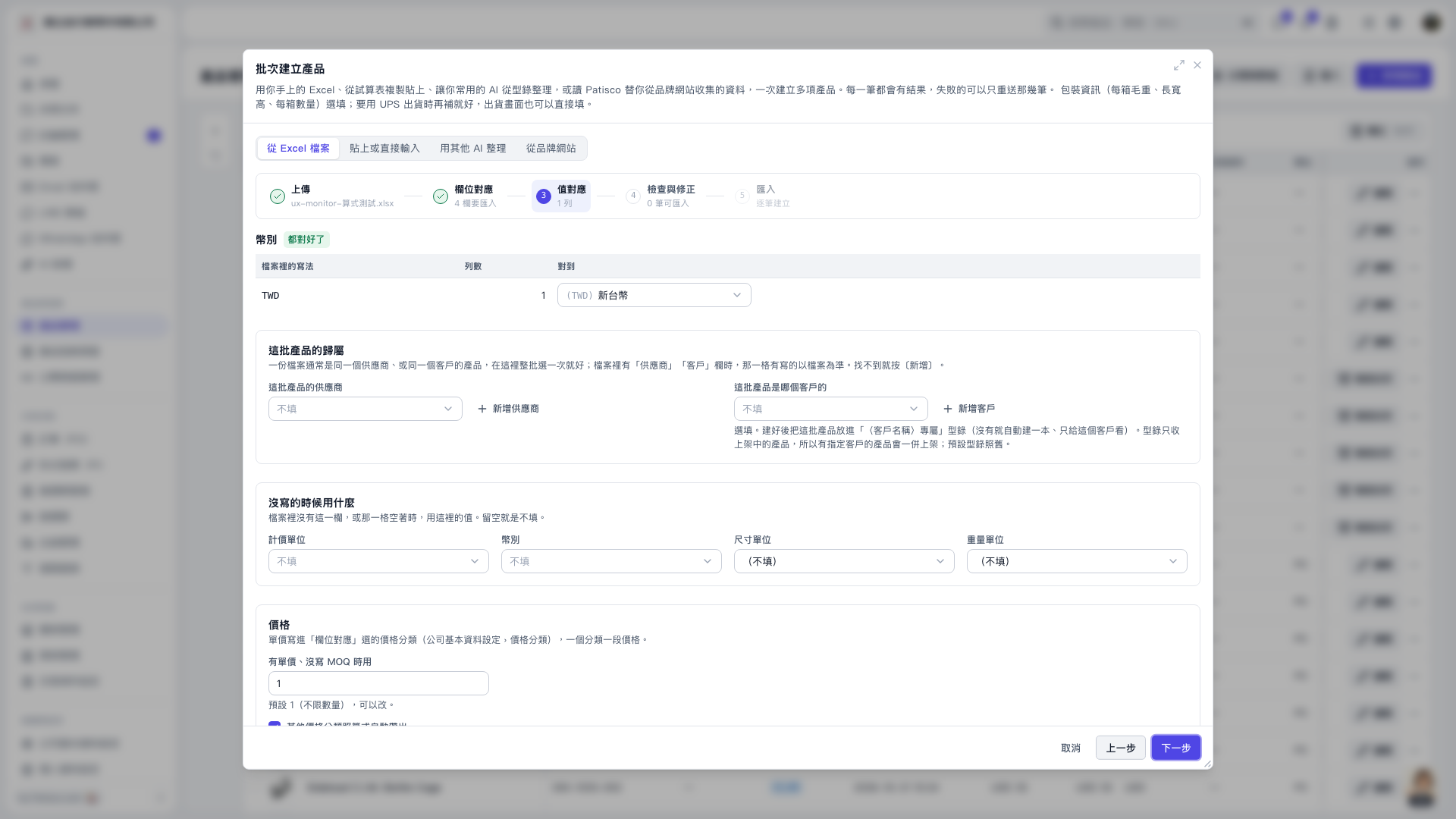
1. In the “From Excel File” workflow under “Create Products in Bulk,” check that “Value in File” and “Maps To” under “Currency Mapping” are correct. 2. Select “Supplier for These Products” and “Customer for These Products” as needed. If the supplier or customer is not in the menu, click “Add Supplier” or “Add Customer.” 3. Under “Defaults for Missing Values,” set the pricing unit, currency, dimension unit, and weight unit. These settings apply when a column is missing from the file or a cell is blank. Leave a setting blank to leave the corresponding values empty. 4. Under “Price,” check the quantity in “Use When a Unit Price Is Provided but MOQ Is Missing.” 5. Click “Next” to go to “Review and Correct,” review the data, and then continue the import.
 V5 新桌面版|批次建立產品