
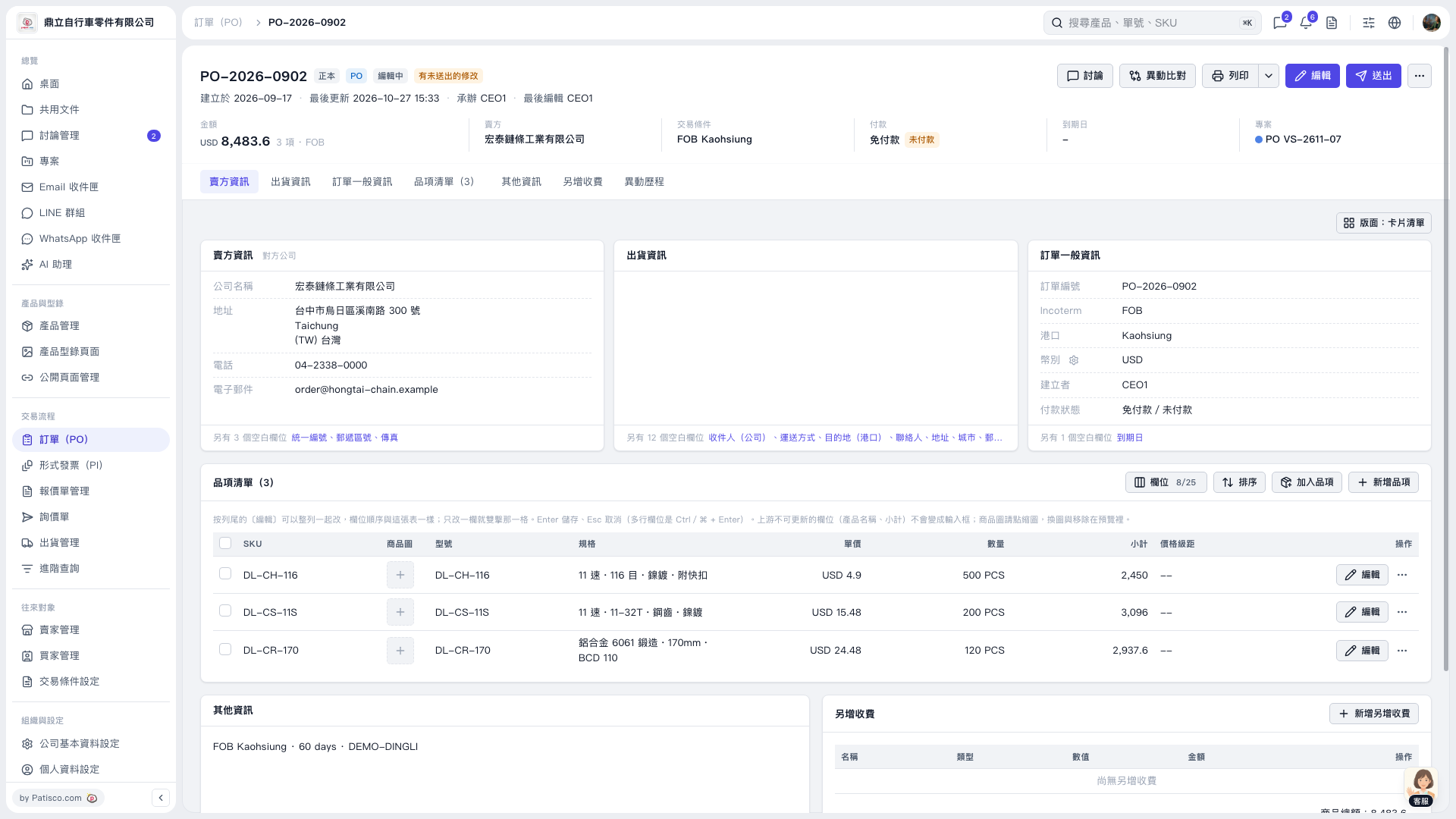
1. Open the PO details and first verify the PO number, amount, seller, trading conditions, and payment status. 2. Click 〔Edit〕 in the top right to modify the PO data that needs adjustment. 3. Review the changes; to compare the differences, click 〔Diff View〕 in the top right. 4. After confirming the data, click 〔Send〕 in the top right to send out the unsent changes.
 V5 新桌面版|PO–2026–0902