
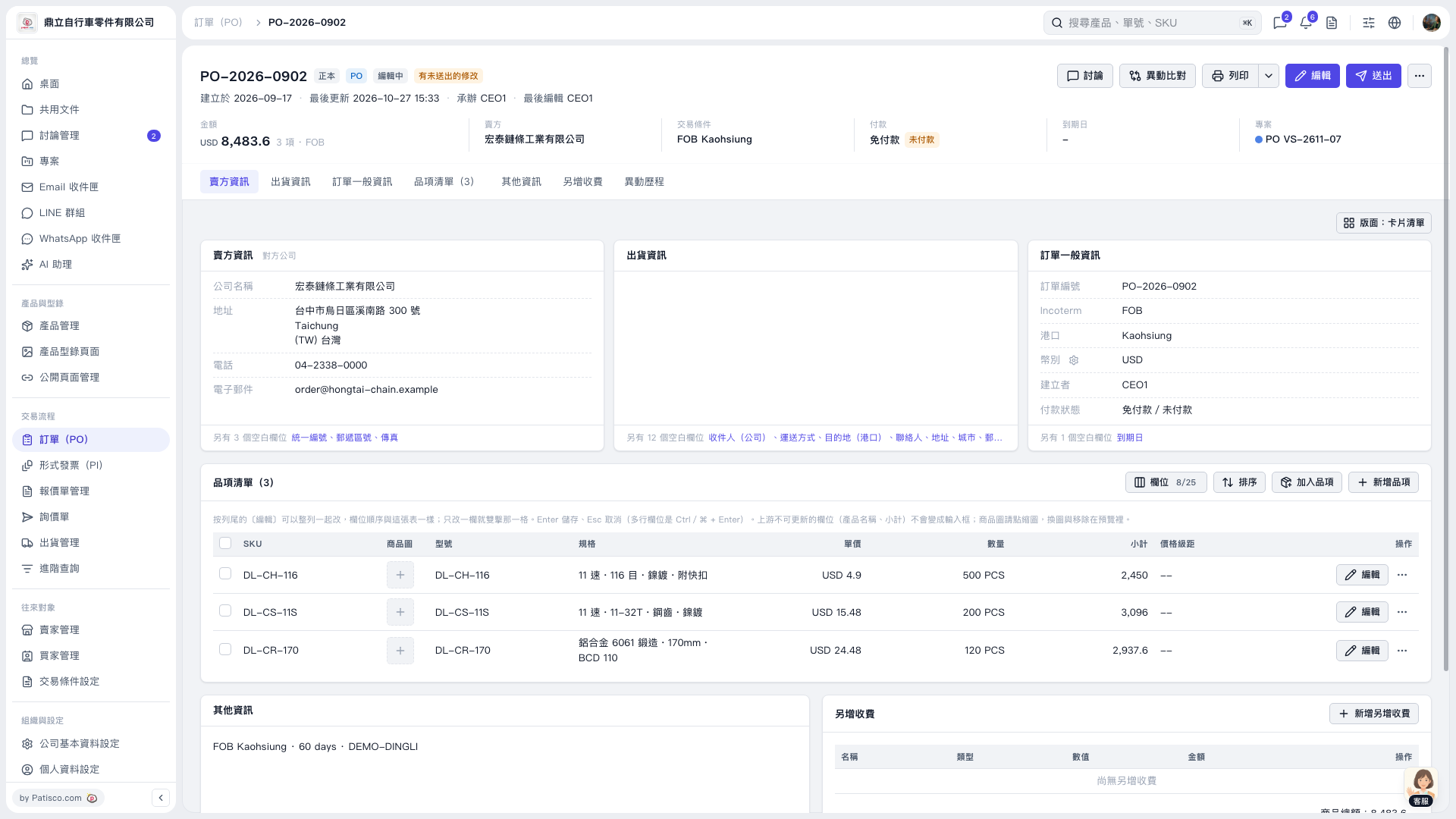
1. Go to [Line Items], click [Edit] on the right side of the item you want to adjust. 2. To add an existing product, click [Add Item]; to create a new product item, click [New Item]. 3. To add additional charges, go to the [Additional Charges] section and click [Add Additional Charges]. 4. Verify the quantity, unit price, subtotal, additional charges, and total PO amount, then click [Submit] in the upper right corner.
 V5 新桌面版|PO–2026–0902