
1. On the "PO" page, in the top left, select "Outgoing (PO)" or "Incoming (PO)". 2. In the search bar, select a search field, such as "PO Number", enter a keyword, and press Enter to search. 3. To narrow your search, you can click "Filter" to set conditions. 4. Click the PO number link in the list to view that PO's contents.
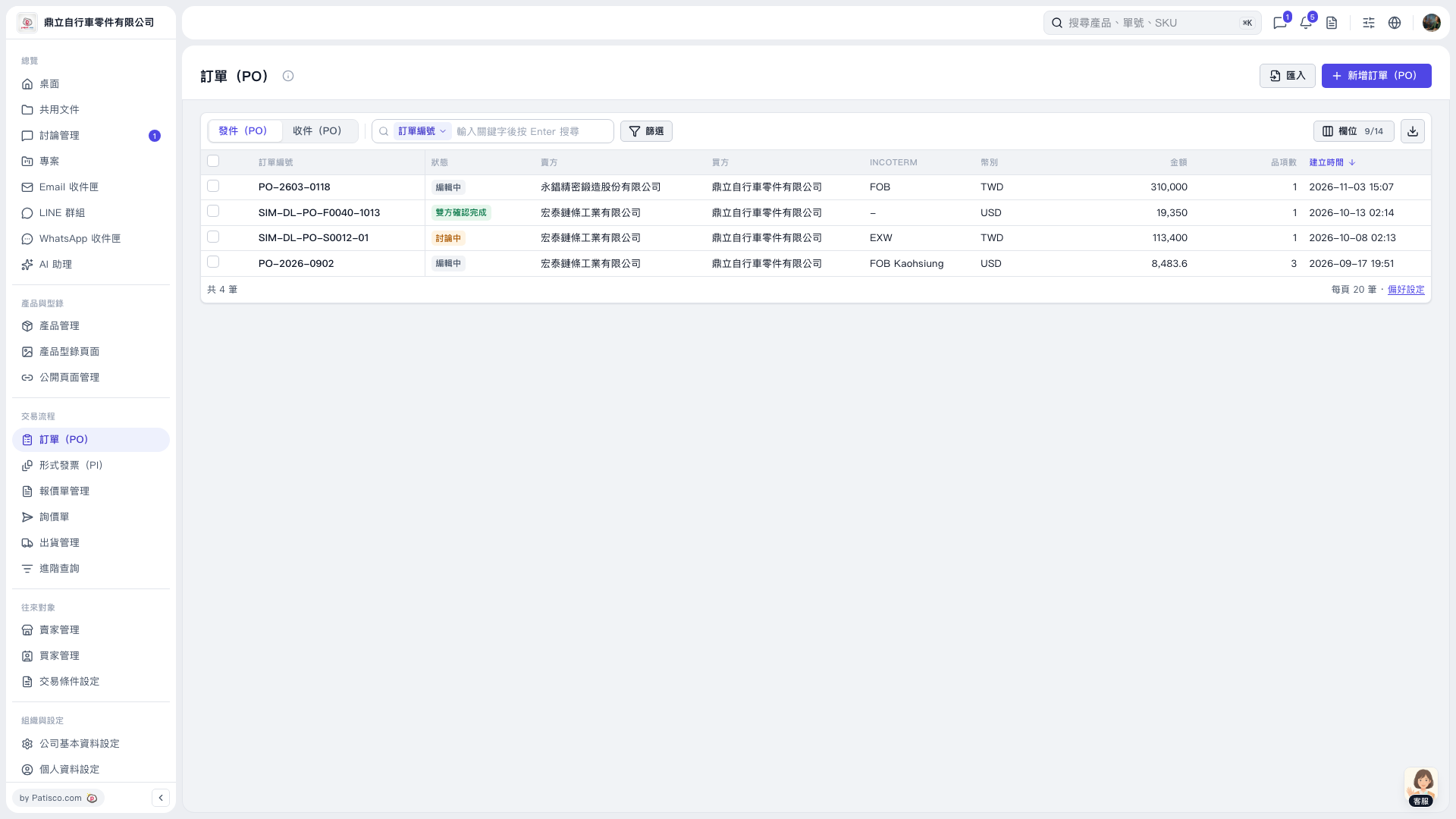 V5 新桌面版|訂單(PO)