
1. Open the Proforma Invoice and check the document number, buyer, amount, and payment information in the header. 2. Use the tabs at the top to view buyer information, shipping information, and general PO information. To make changes, click "Edit" in the upper right. 3. Check specifications, unit prices, and quantities in the "Item List". To add an existing item, click "Add Item". To create a new item, click "New Item". 4. After confirming the information, click "Submit" in the upper right. To print, click "Print".
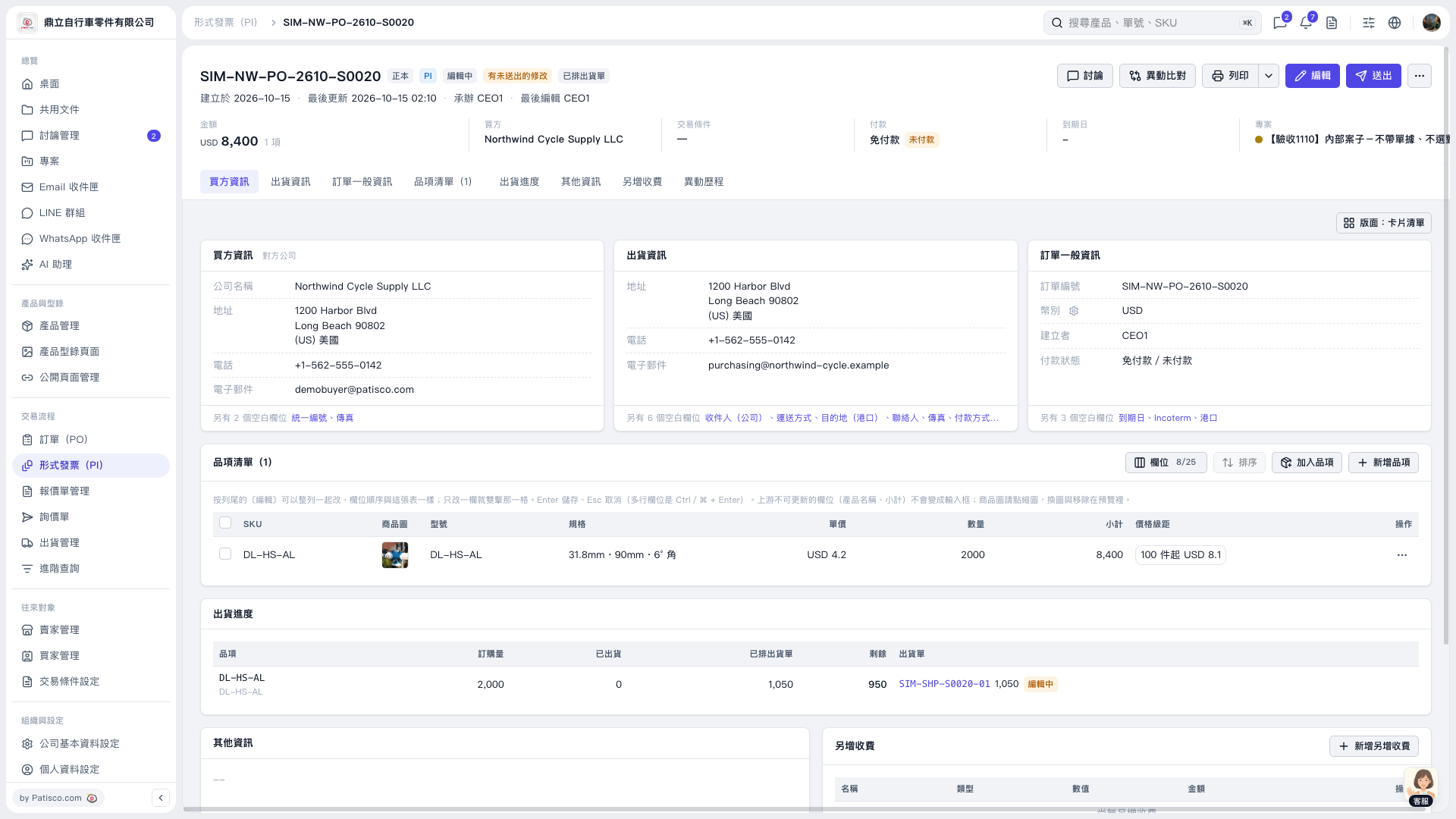 V5 新桌面版|形式發票 SIM-NW-PO-2610-S0020