
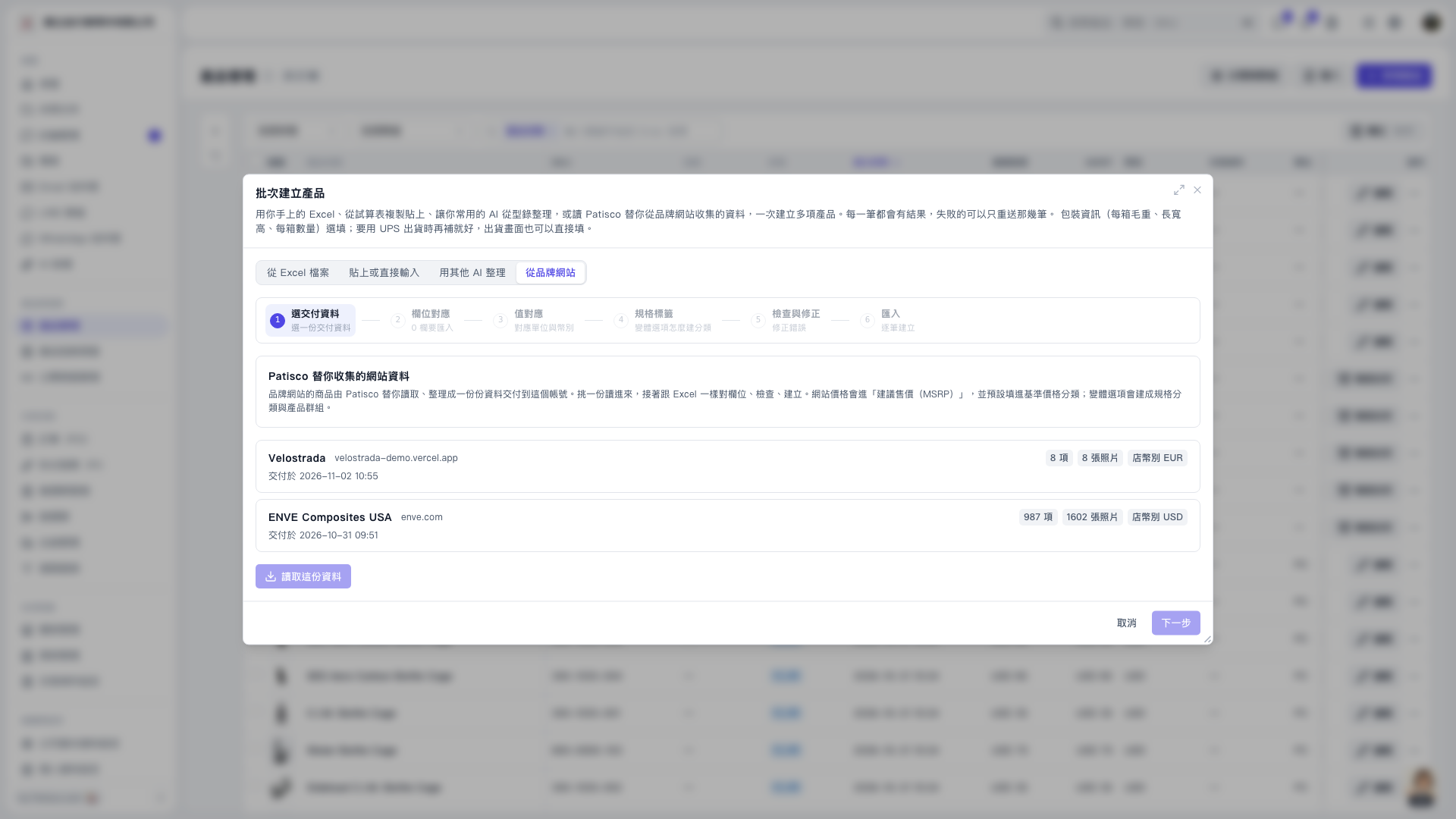
1. In the “Create Products in Bulk” window, click the “From Brand Website” tab. 2. Check the brand name, brand website domain, delivery time, number of products, number of photos, and store currency for each dataset, then click the dataset you want to import. 3. Click “Load This Dataset” to load the selected data. 4. Click “Next” to proceed to “Field Mapping.” 5. Complete “Value Mapping,” “Specification Labels,” and “Review and Correct” in order, then proceed to “Import” to create the products one by one.
 V5 新桌面版|批次建立產品