
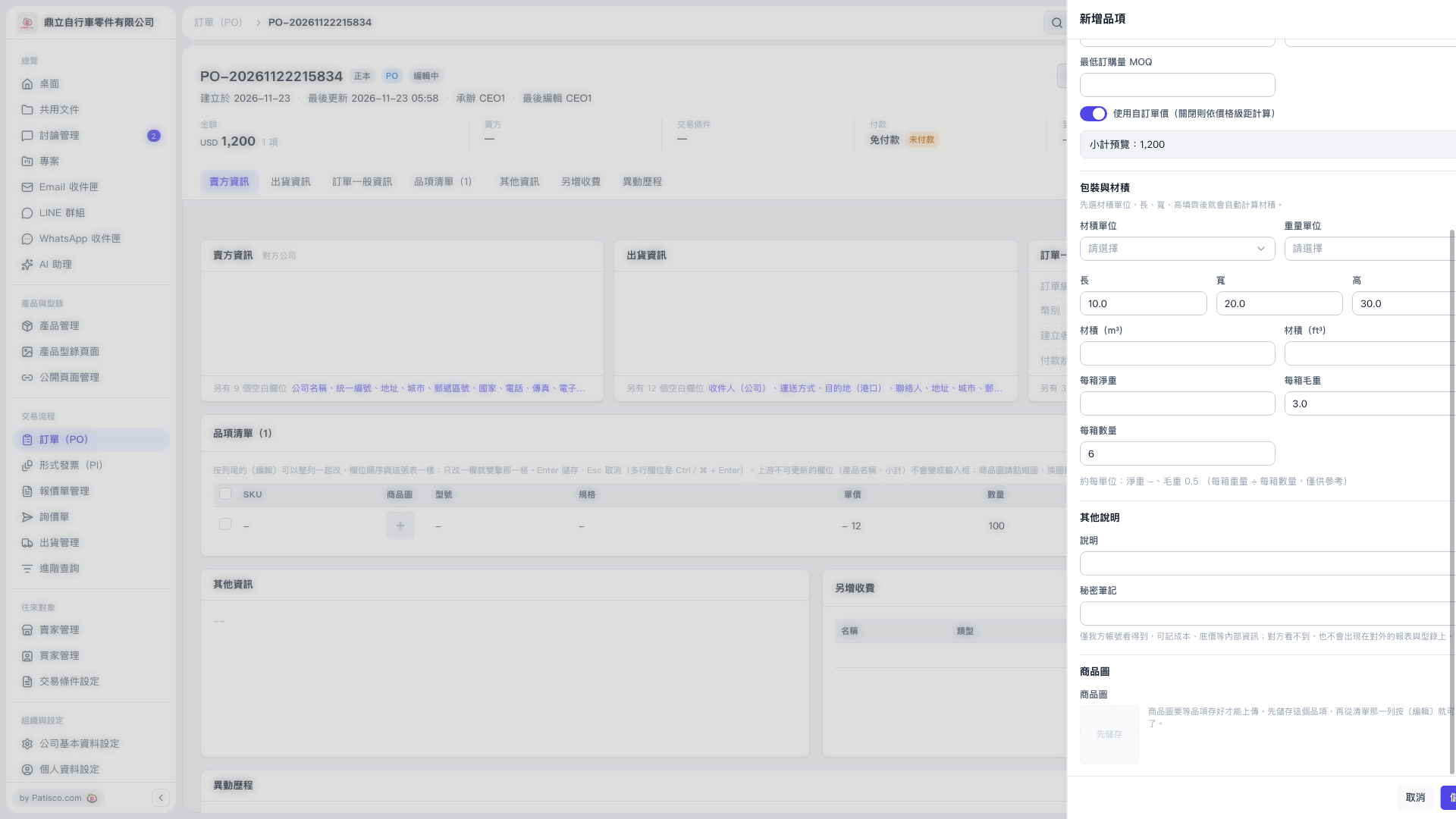
1. In the “Packaging and Volume” section of the “Add Item” panel, select the “Volume Unit.” 2. Enter “Length,” “Width,” and “Height.” The system automatically calculates “Volume (m³)” and “Volume (ft³).” 3. Select the “Weight Unit,” then enter “Net Weight per Carton,” “Gross Weight per Carton,” and “Quantity per Carton.” Check the reference weight values per unit.
 V5 新桌面版|訂單 PO-20261122215834/新增品項