
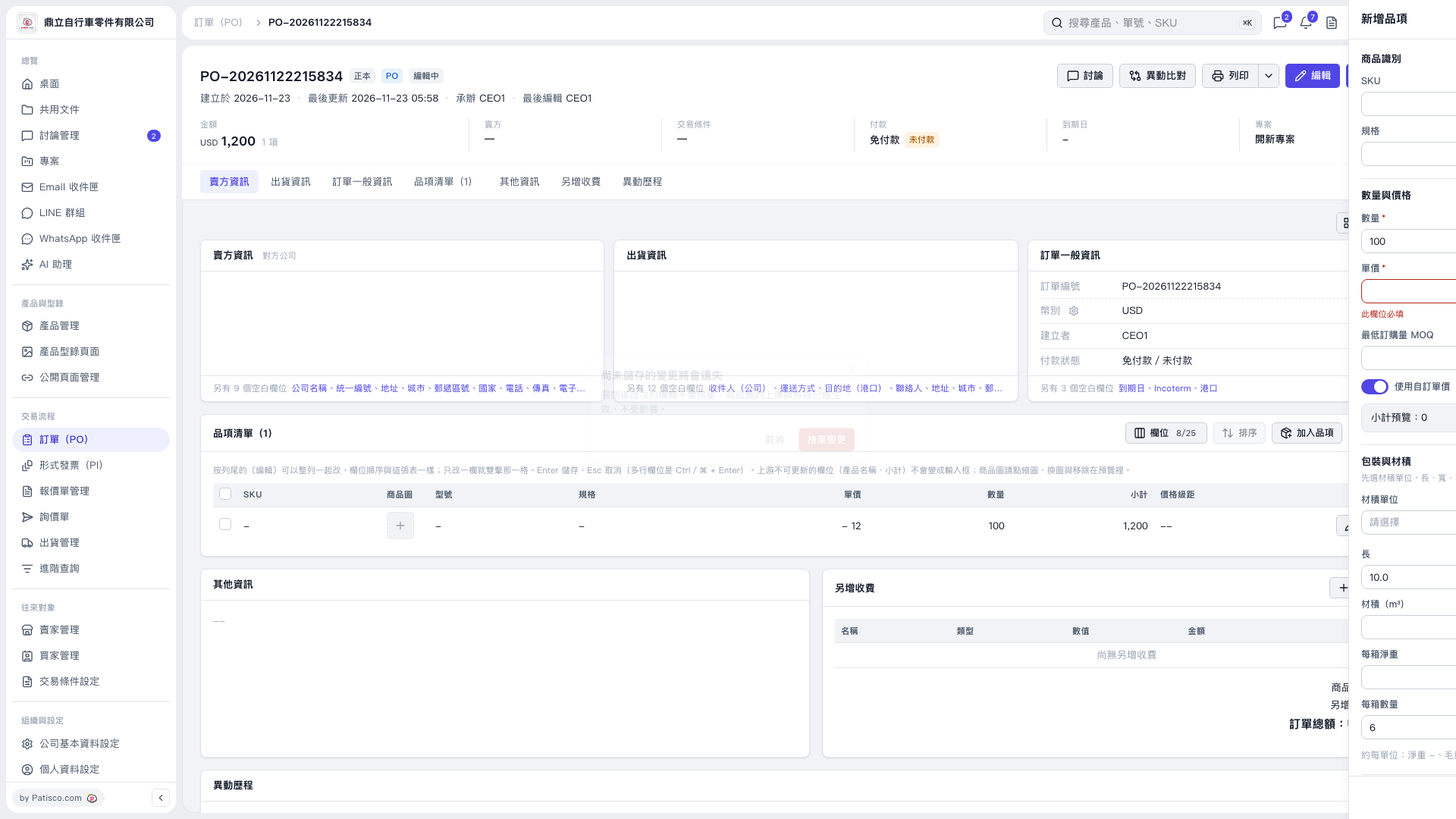
1. Click “Add Item” in the upper-right corner of the PO’s item list to open the Add Item panel on the right. 2. Enter the SKU, specifications, and quantity, and enter a price in the “Unit Price” field. The unit price is required. If left blank, the field displays a red border and “This field is required.” 3. Check the “Use Custom Unit Price” toggle and “Subtotal Preview,” then enter the minimum order quantity, packaging, and volume information as needed.
 V5 新桌面版|PO-20261122215834