
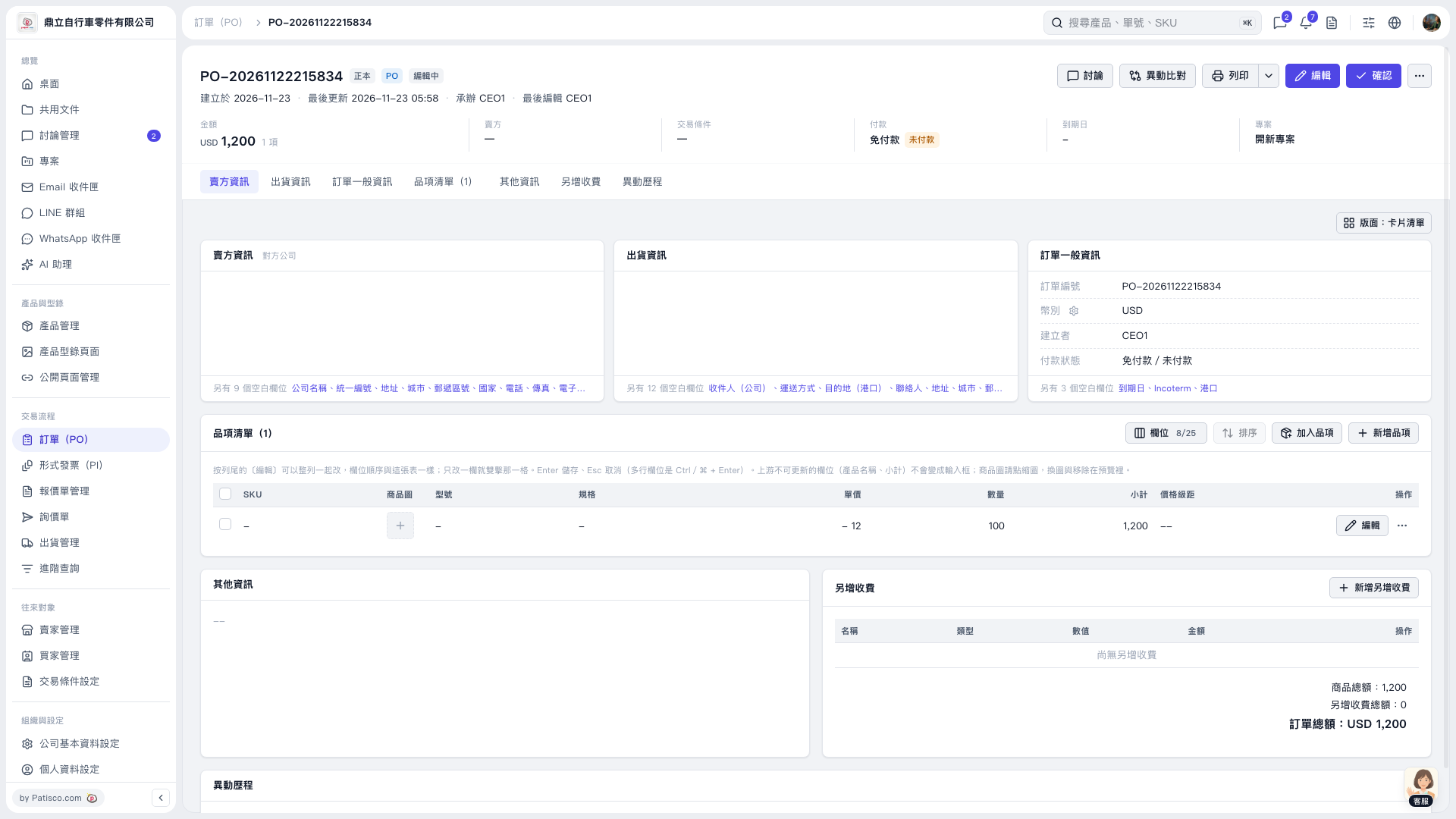
1. Open the PO you want to print and check the “PO Number,” each item’s “Unit Price” and “Quantity,” and the PO total. 2. Click “Print” in the upper-right corner. To view related options, click the drop-down arrow beside it. 3. Once the print preview or print dialog opens, check the PO contents, transaction currency, and amounts, then follow the on-screen instructions to complete printing.
 V5 新桌面版|PO–20261122215834