
1. Open the PO copy and find the Proforma Invoice number after “PI issued:”. Click the number to open the PI details. 2. Check the Proforma Invoice number, buyer, amount, and trading conditions. In “Item List”, confirm the specifications, unit prices, quantities, and subtotals. 3. To change the information, click “Edit” in the upper-right corner. To print, click “Print”.
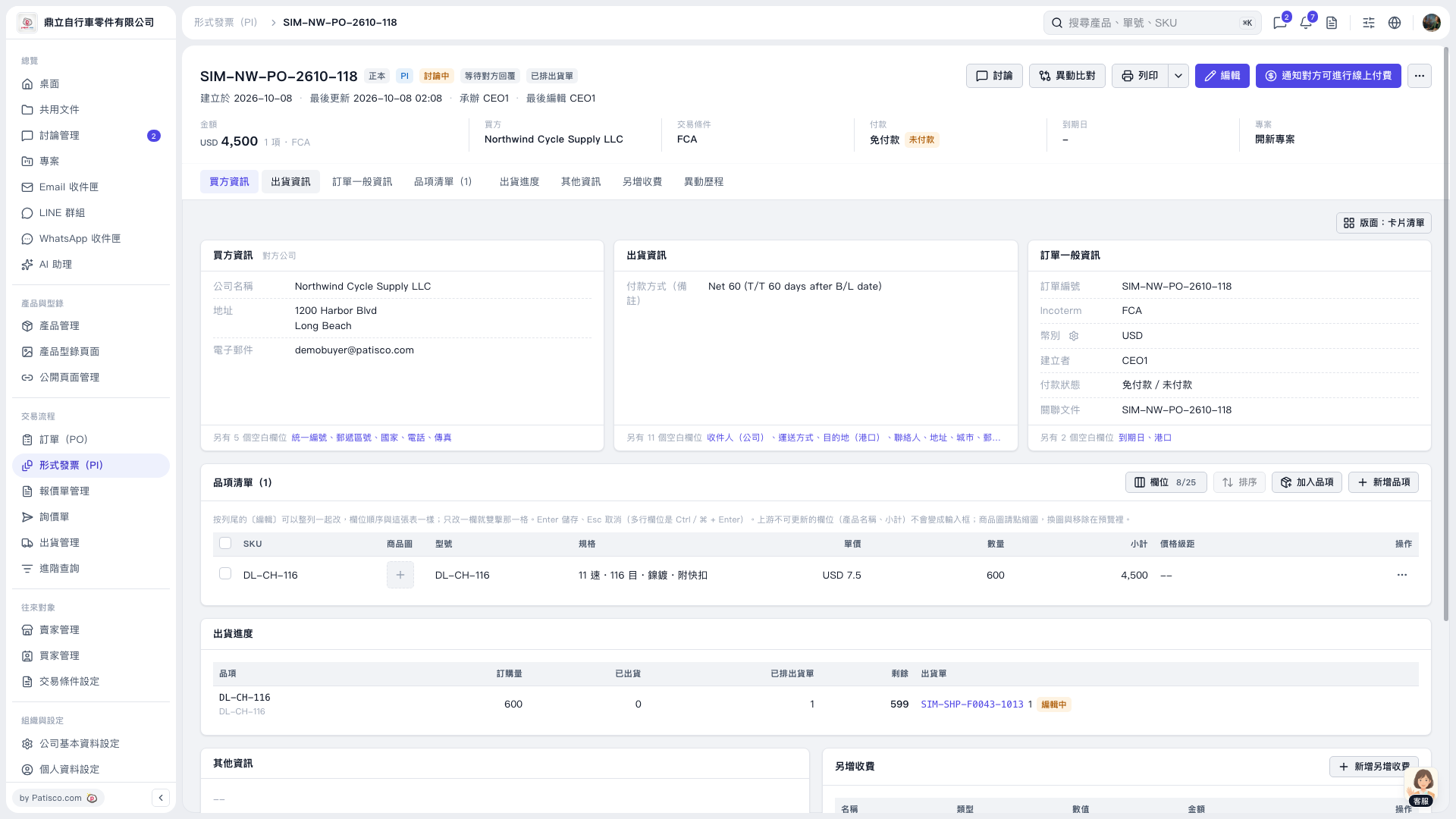 V5 新桌面版|形式發票(PI)詳情:SIM-NW-PO-2610-118