
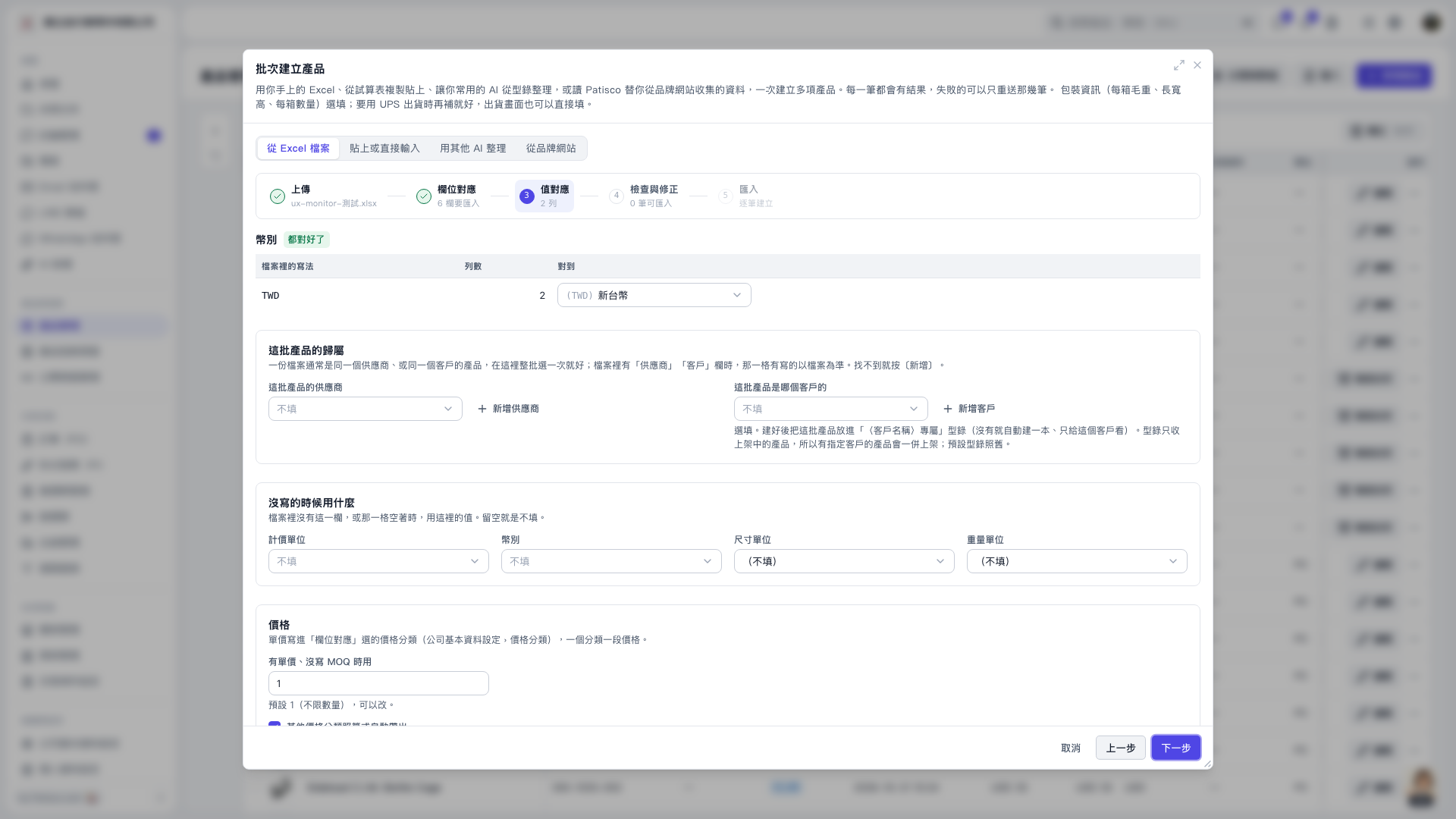
1. In the “Product Assignments” section under “Create Products in Bulk,” select “Supplier for These Products” and “Customer for These Products.” You can also leave them blank. 2. If you need to create a new record, click “Add Supplier” or “Add Customer.” 3. If the file already contains supplier or customer columns, the file contents take priority. 4. When you have finished, click “Next” to go to “Review and Correct.”
 V5 新桌面版|批次建立產品