
1. In the “Online Order Acceptance” section of the public catalog settings page, confirm that “Mode” is set to “Allow Orders”. 2. Click “Go to Catalog” and enable “Show Prices to Buyers”. If this is disabled, visitors can only browse even when the mode is set to “Allow Orders”. 3. Click “Open Public Page” in the upper-right corner to check what visitors see.
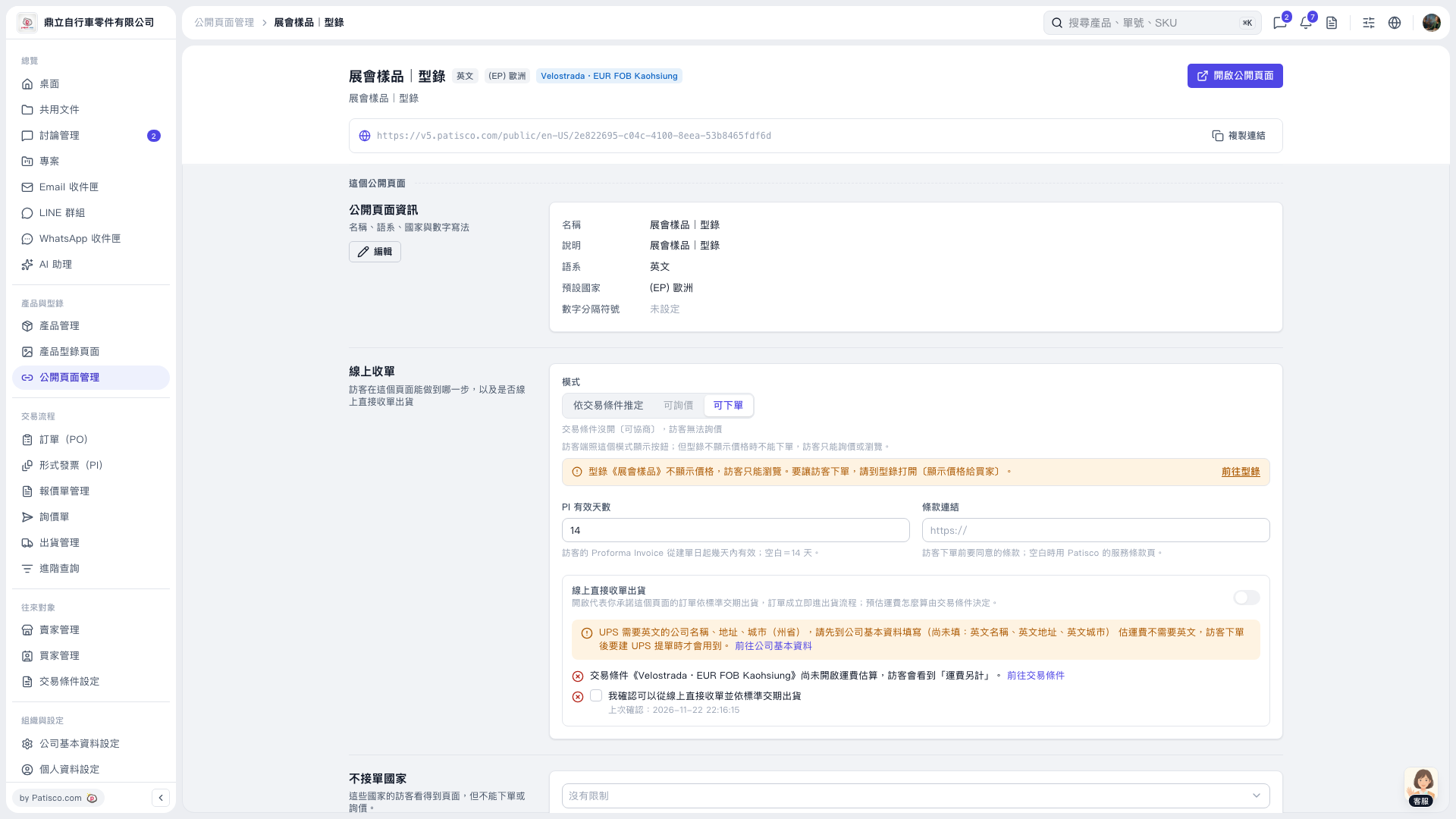 V5 新桌面版|展會樣品|型錄