
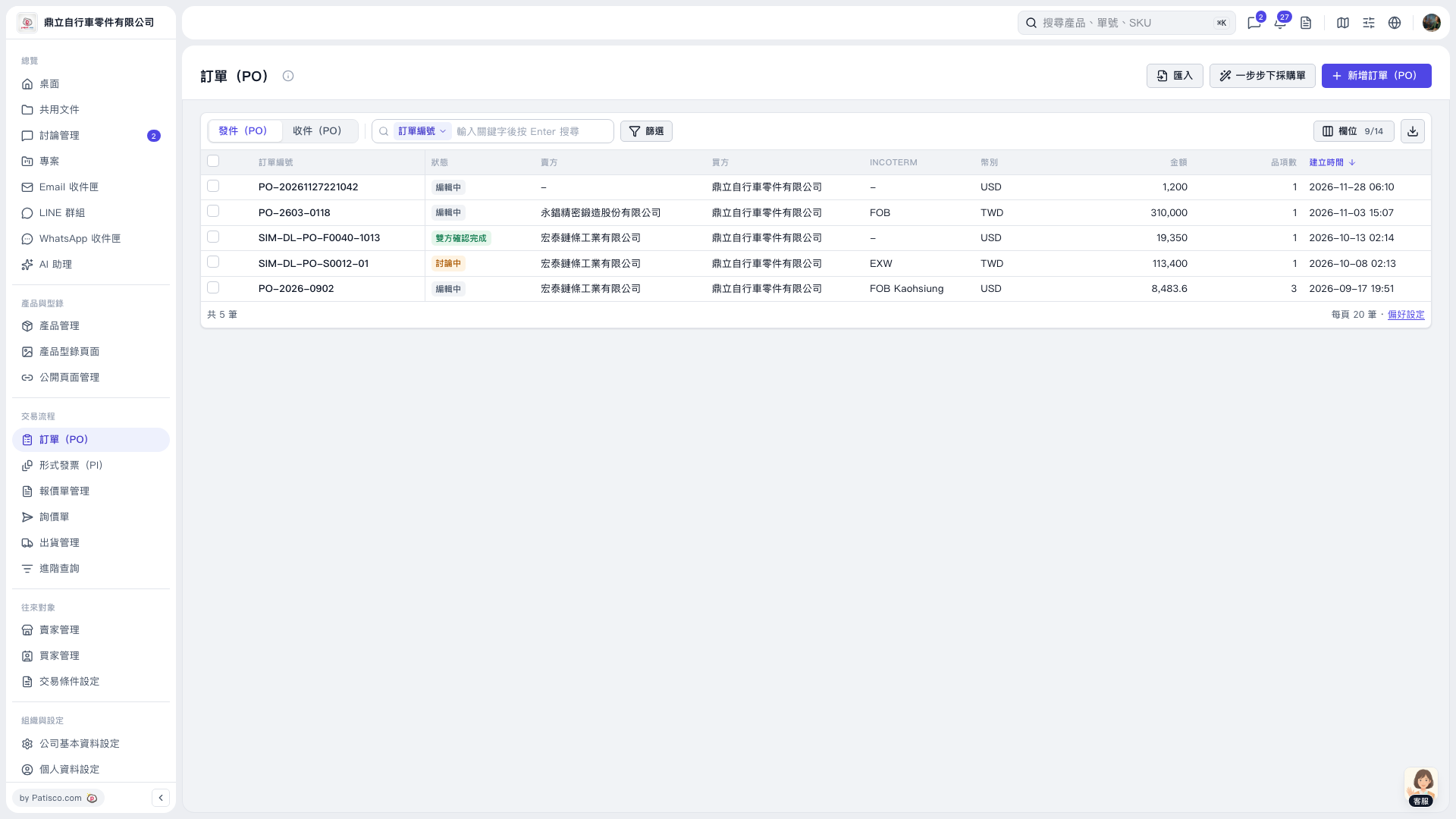
Find a PO: 1. Above the list on the “PO” page, first select a search field, such as “PO Number”. 2. Enter a keyword and press Enter to search. 3. To narrow the results using conditions, click “Filter” to the right of the search box and set your conditions. Create a PO: 4. Click “New PO” in the upper right to create a new PO directly. 5. For step-by-step guidance, click “Create a PO Step by Step” in the upper right instead. 6. If you already have PO data to bring in all at once, click “Import” in the upper right.
 V5 新桌面版|訂單(PO)