
1. In the left sidebar, click “Buyer Management” under “Business Partners” to open the buyer list, then open the buyer you want to invite. Their status will be “Not Invited”. 2. First, check that the company information and email address are correct. To make changes, click [Edit] in the upper right of the company information card. 3. Click [Send Invitation] in the upper right of the page. 4. Under “Select Trading Condition Settings”, select a set of trading conditions. Nothing is selected in advance. 5. Under “Select Catalog”, select a catalog. Nothing is selected in advance here either. 6. Once both selections are made, [Submit] becomes available. Click it to send the invitation. If either the trading conditions or catalog is not selected, [Submit] remains disabled. If you click [Cancel] to close the window without clicking [Submit], no invitation is sent.
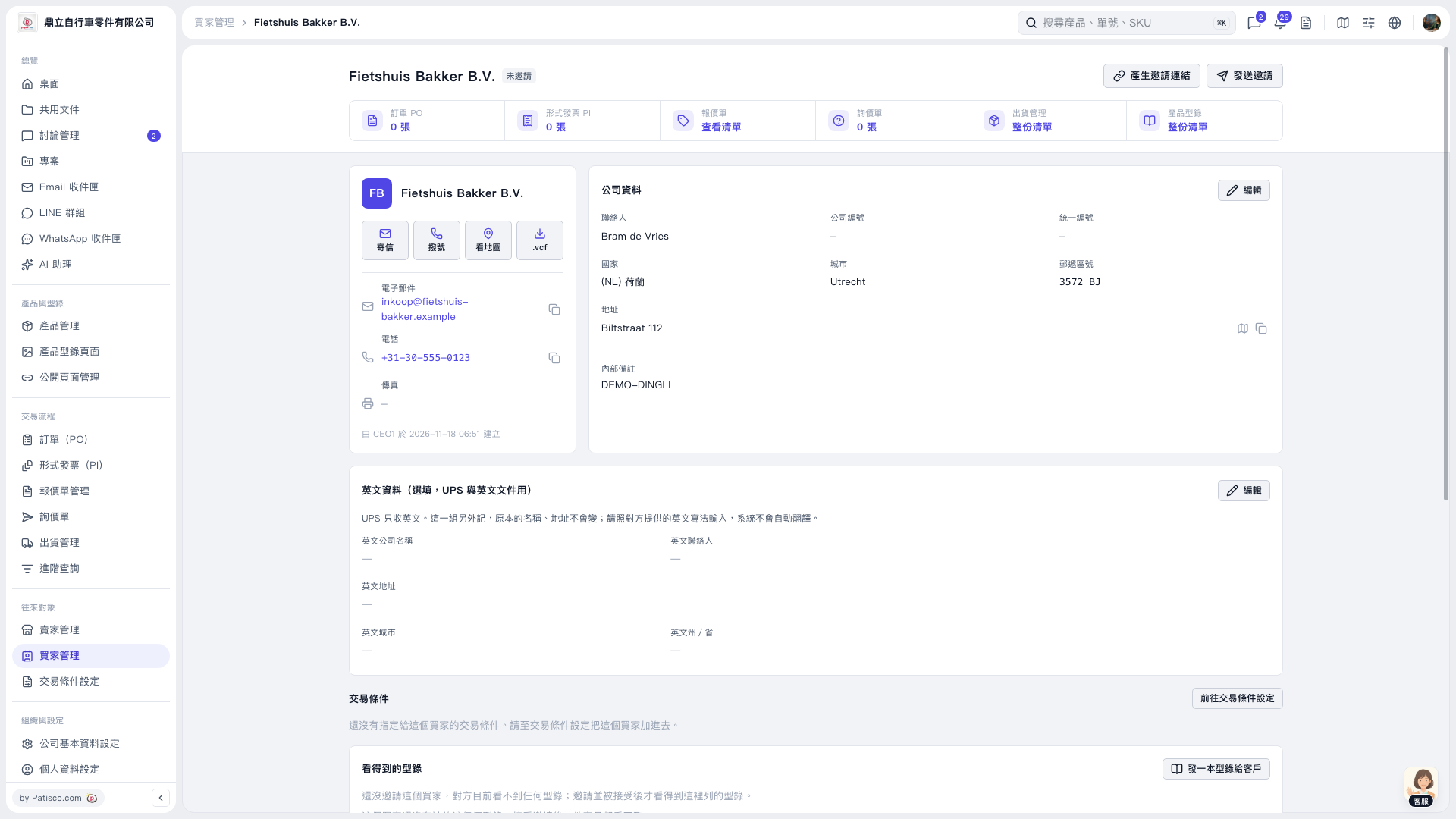 V5 新桌面版|Fietshuis Bakker B.V.(買家詳細頁,狀態:未邀請)