
1. In the left sidebar, click “Buyer Management” under “Business Partners”. 2. Select the buyer you want to view from the buyer list to open their details page. 3. Scroll down to the “Trading Conditions” section. You can view the trading condition name, cooperation terms, price display adjustments, pricing tiers, quotation terms (currency and trade terms), PO condition settings (payment method and other information), shipping cost estimates, and PO amount adjustments. 4. To make changes, click [Go to Settings] in the upper right of the “Trading Conditions” section. This opens the settings page for the set of trading conditions applied to this buyer. Remember to save your changes. 5. To return to the list, click “Buyer Management” in the breadcrumb at the top.
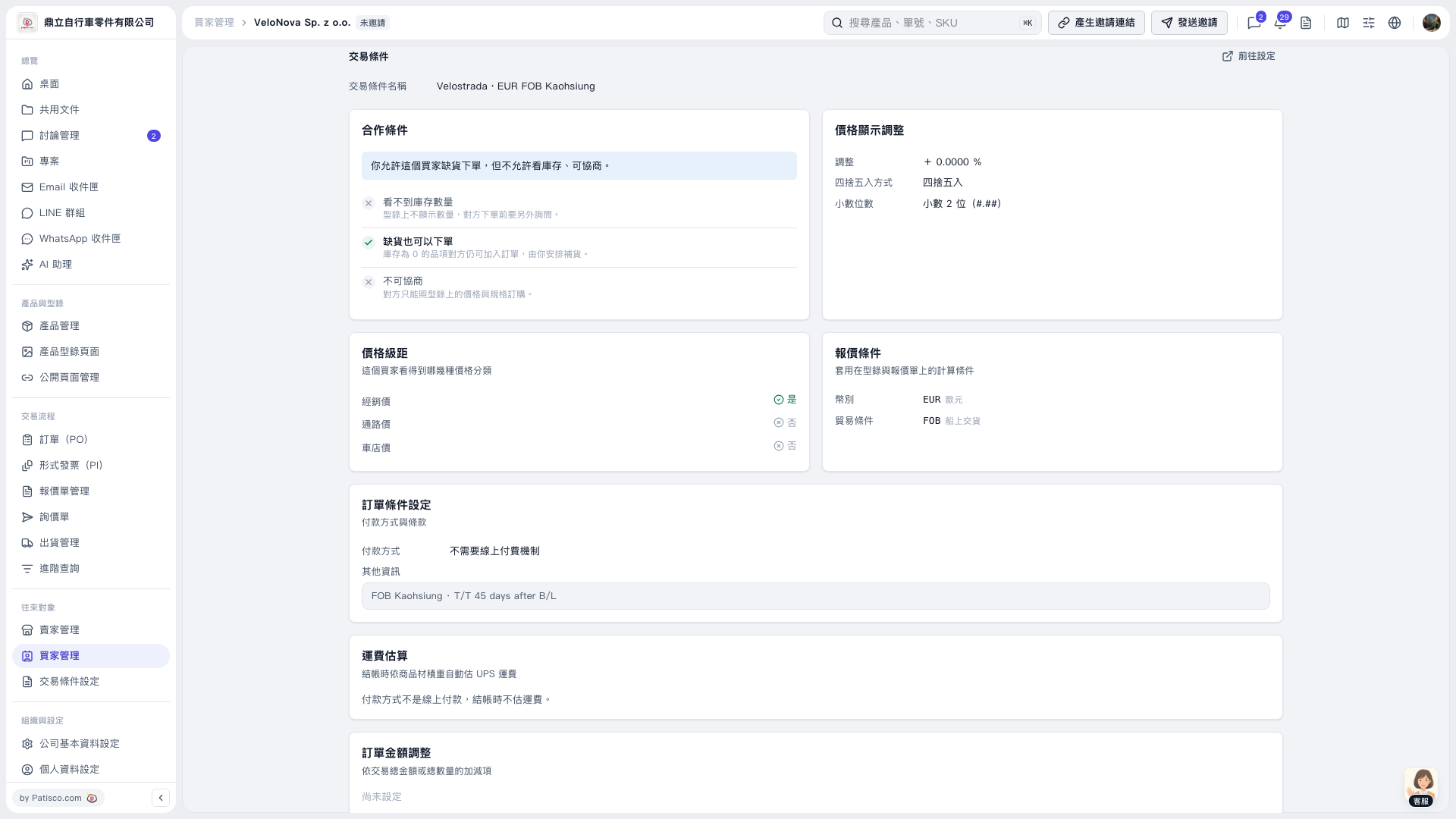 V5 新桌面版|VeloNova Sp. z o.o.(買家詳情,目前捲動到「交易條件」區塊)