
Both buttons are in the upper right of the buyer's details page. 1. [Send Invitation]: Sends an invitation directly to this buyer. After clicking it, you must select the trading condition settings and a catalog before you can click [Submit]. 2. [Generate Invitation Link]: Generates an invitation link for you to share with the buyer manually. If you want to assign trading conditions to the buyer first, click [Go to Trading Condition Setting] on the right side of the “Trading Conditions” section and add the buyer to a set of trading conditions. To assign a catalog, click [Send a Catalog to the Customer] in the upper right of the “Visible Catalogs” section. After the buyer accepts the invitation, their status changes from “Not Invited”, and they can view the assigned catalogs.
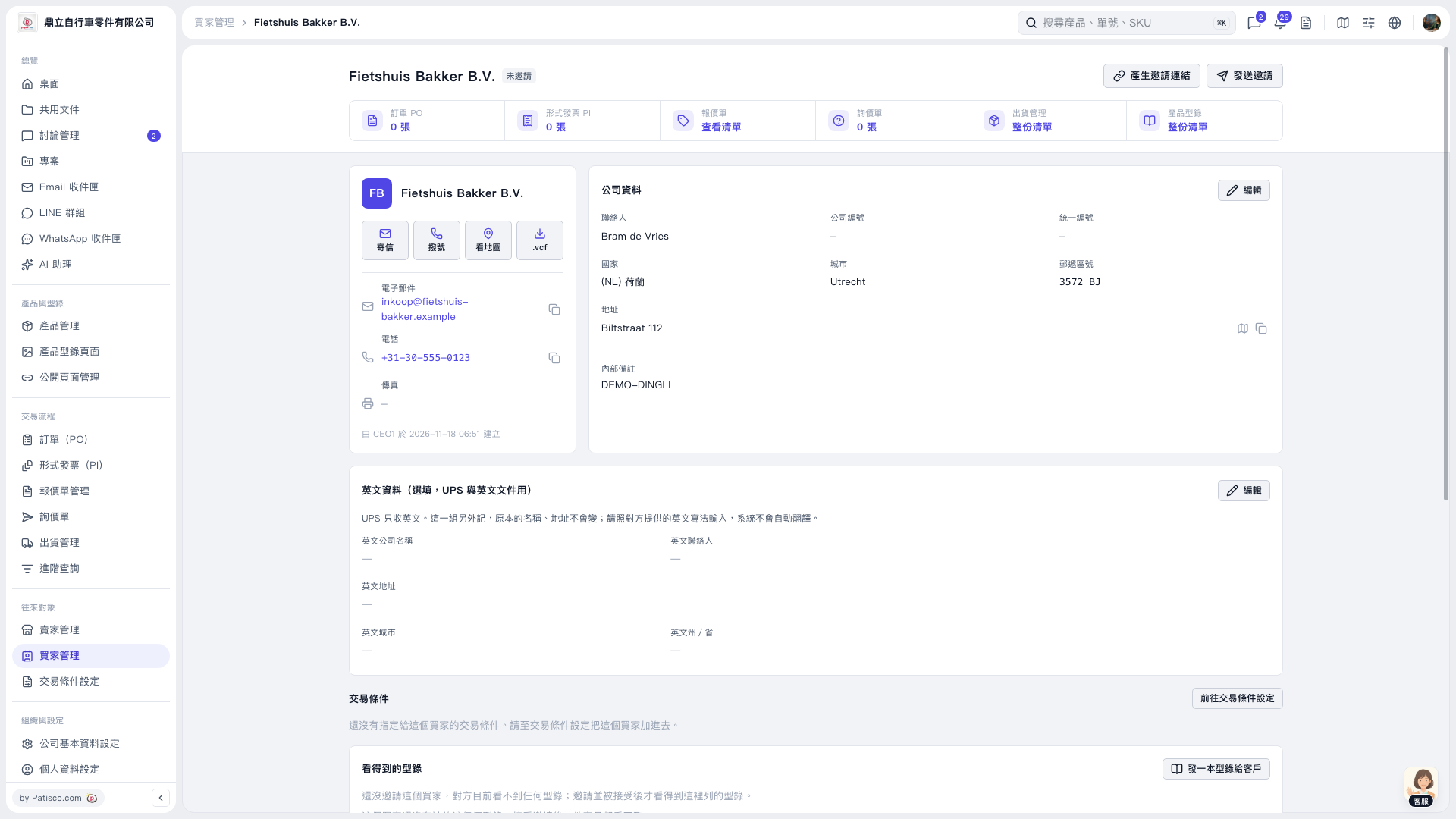 V5 新桌面版|Fietshuis Bakker B.V.(買家詳細頁,狀態:未邀請)