
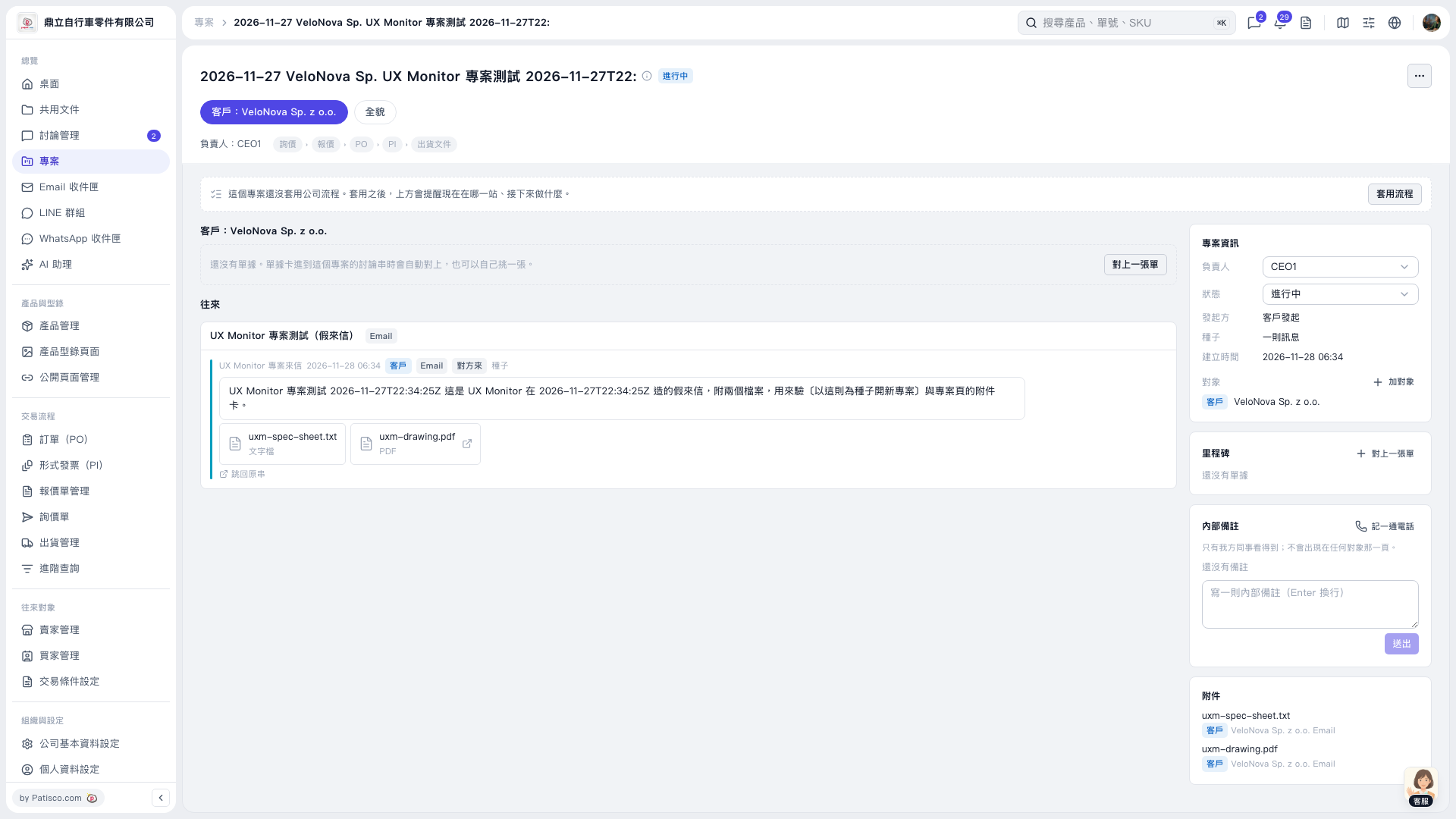
1. Find the email message containing the attachment in the “Correspondence” section in the center of the project, then click the attachment card to view the file. You can also click the filename in the “Attachments” section on the right. 2. To view the full correspondence containing the attachment, click “Back to original thread” below the message.
 V5 新桌面版|2026–11–27 VeloNova Sp. UX Monitor 專案測試 2026–11–27T22: