
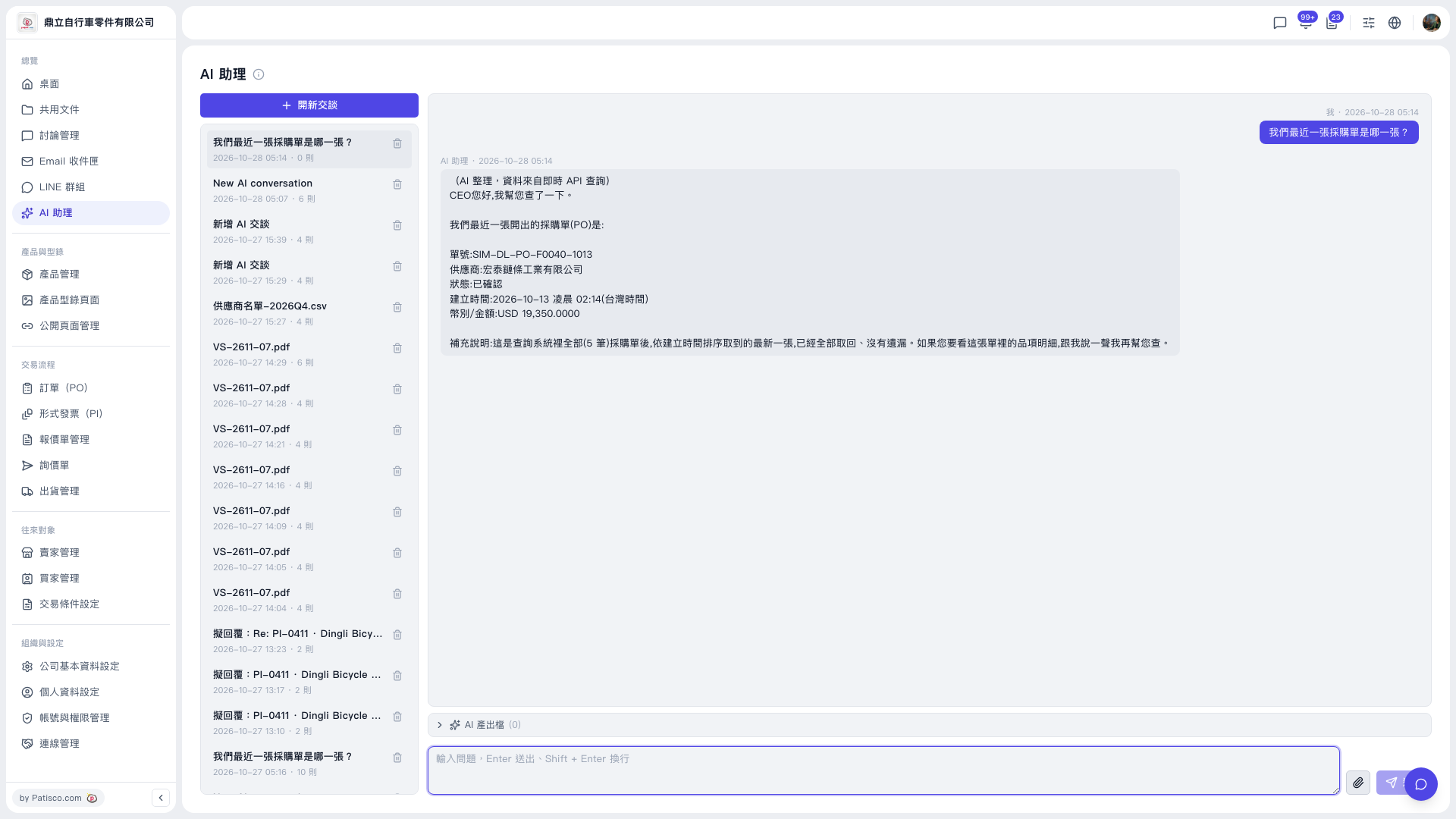
1. After sending your question, read the AI's reply in the conversation area. It lists the document number, supplier, status, creation time, and currency/amount. 2. The AI also explains the scope of the search. For example, this time it searched all 5 POs and took the latest one by creation time. 3. To see the line items, just keep asking in the input box at the bottom, for example: “Please give me the line items for this PO.” 4. If the AI has generated any files, click “AI output files” below the conversation area to expand it (currently showing 0).
You can ask, for example: “What items are on this PO?” The AI will reply like this: it first says it can look up the line items for this PO, then lists the content based on the search result (this reply already says “If you want to see the line items, let me know and I'll look them up for you”).
 V5 新桌面版|AI 助理