
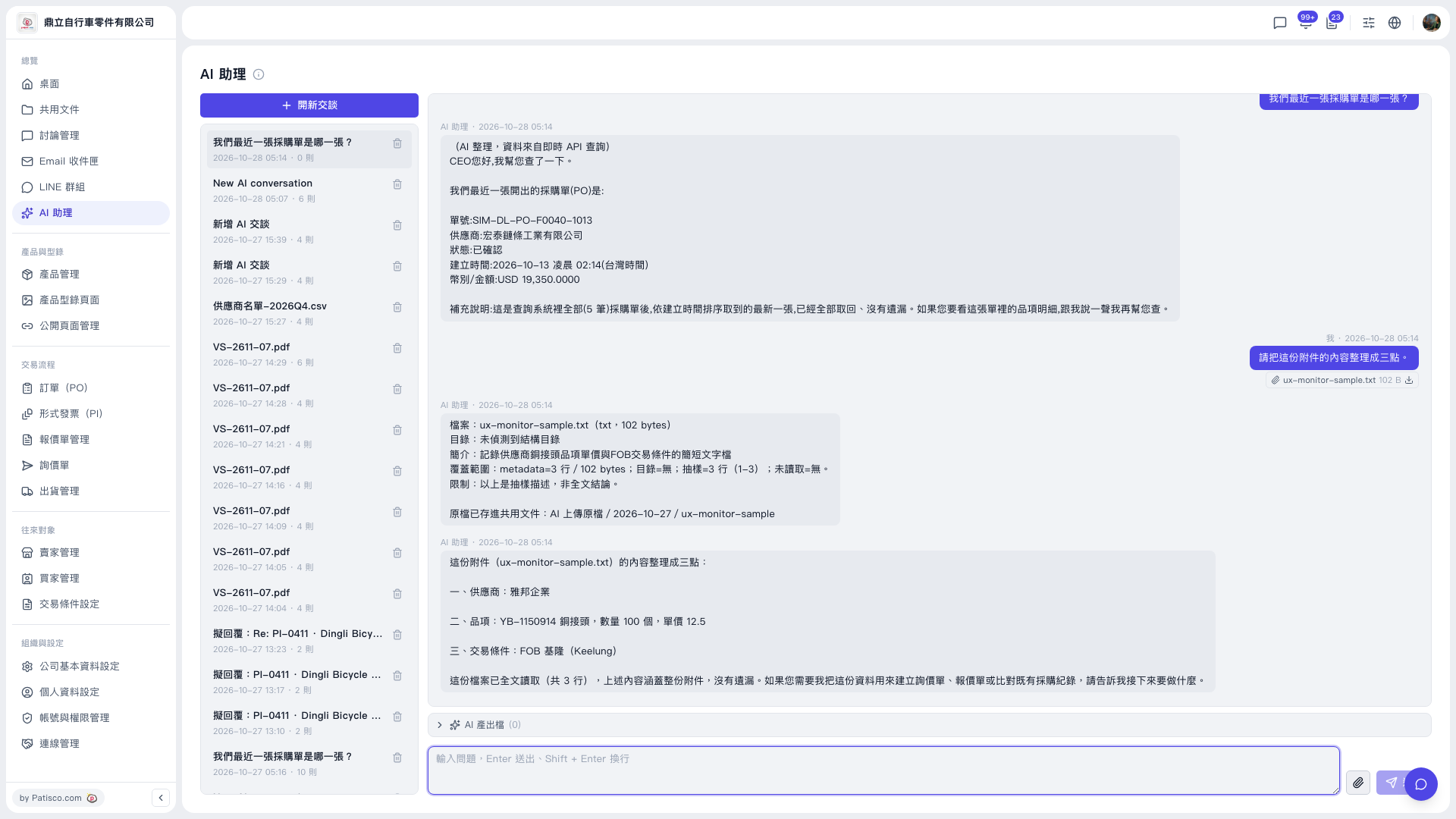
1. Uploaded original files are saved automatically to Shared Documents, where you can view them. In this test, the path is “AI uploaded originals / 2026-10-27 / ux-monitor-sample”. 2. To download a file again, click the download icon next to the attachment in the conversation (for example, ux-monitor-sample.txt). 3. If the AI has generated any files, expand “AI output files” below the conversation area to view them (this time it shows 0). 4. To delete a conversation you no longer need, click the trash icon on the right of that item in the conversation list on the left.
 V5 新桌面版|AI 助理