
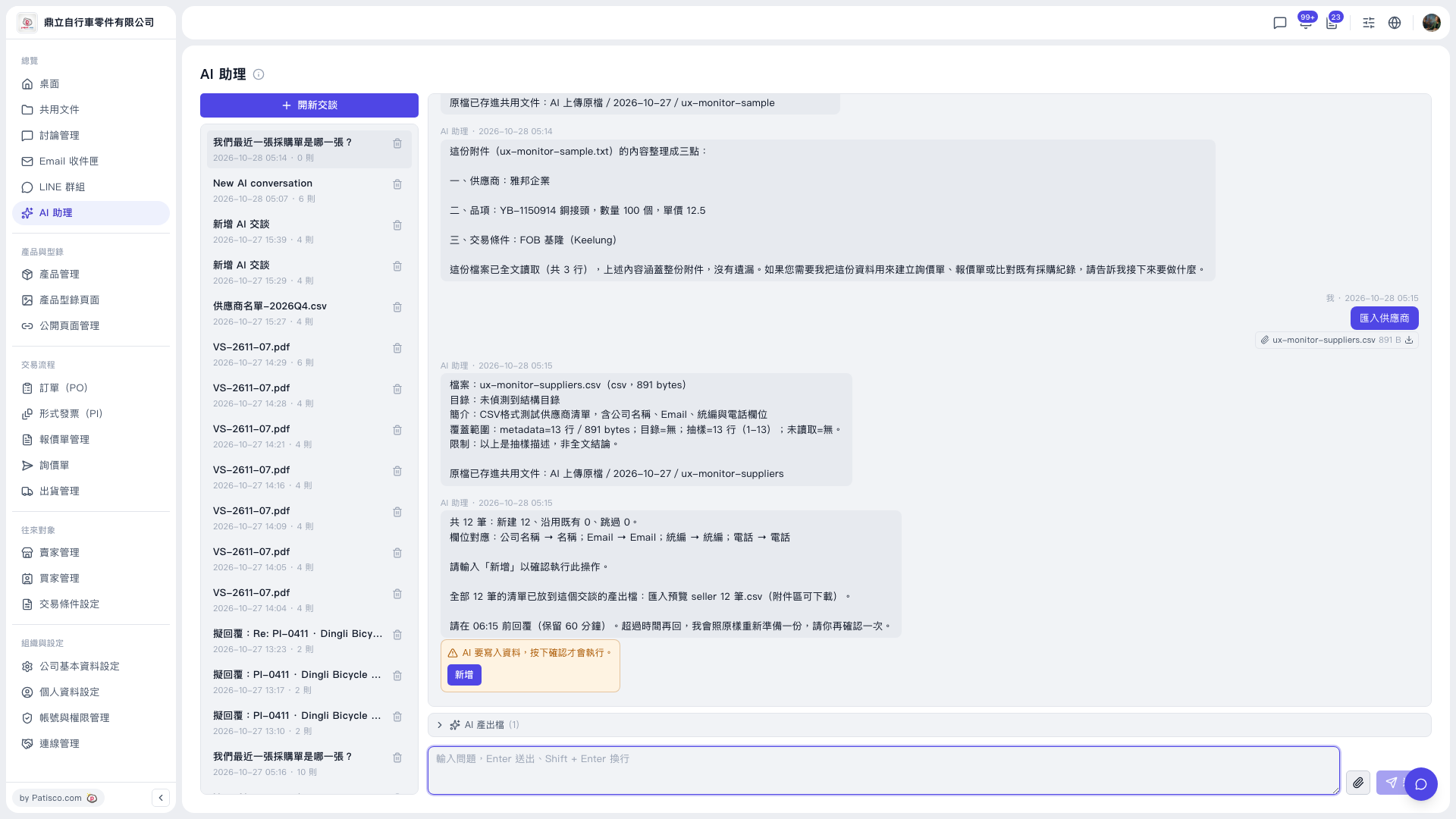
1. The counts and column mapping in the AI's reply are only a summary. To see all the data, expand “AI output files (1)” below the conversation area. 2. In it, view or download “Import preview seller 12 records.csv” and check every row. 3. Once you are sure everything is correct, click “Add” in the yellow warning box, or type “Add” in the input box. 4. There is a time limit. The AI keeps the request for 60 minutes (for example, the AI's reply states to respond before 06:15). If the time has passed, ask the AI to prepare it again. It will prepare it exactly as before, and you just confirm once more.
Until you confirm, the AI will not write any data.
 V5 新桌面版|AI 助理