
1. Go to the AI conversation page (New AI conversation). 2. Tap the "Ask AI a question..." input box at the bottom and enter your question. 3. To attach a file or image, tap the paperclip (attachment) or camera icon at the bottom left. 4. Tap the pink paper plane icon at the bottom right to submit. 5. In the AI's reply, check the document number, supplier, creation date, and status (Confirmed / Editing / Archived).
You can ask: "我們最近一張採購單是哪一張?" (Which is our most recent PO?) The AI will reply: "The most recent one is number SIM-DL-PO-F0040-1013, supplier 宏泰鏈條工業有限公司, created on 2026-10-13, status Confirmed." The AI will also add that there are currently 5 POs in total, and ask whether you would like to see the item details of the latest document.
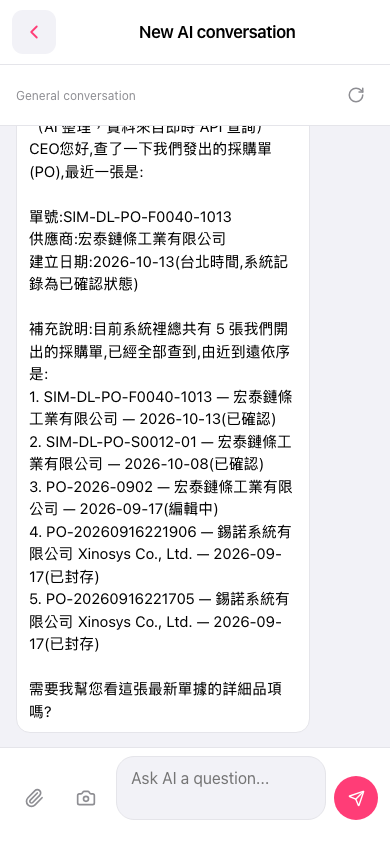 手機版|New AI conversation