
1. Open Patisco on your phone and go to the Purchasing Order page (URL: https://mobile.patisco.com/main/po). 2. Look at the tabs below the title. The currently selected tab shows which type you are viewing. 3. To see the POs you sent, tap "Sent Doc.". 4. To see the POs the other party sent to you, tap "Received Doc.".
Tip: If you don't see the PO you want when you open the Purchasing Order page, first check which tab you are on.
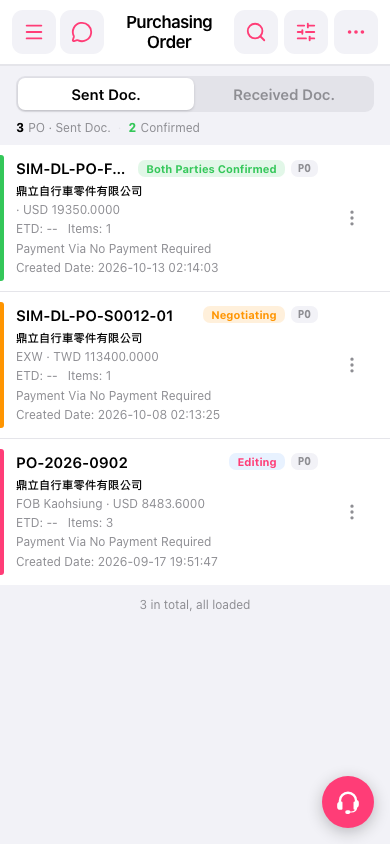 手機版|Purchasing Order(採購單)