
1. Open the mobile app and go to the Quotations page (URL: https://mobile.patisco.com/main/quo). 2. Use the tabs above the list: tap "Sent Doc." to view quotations you sent, and tap "Received Doc." to view quotations you received. 3. In the list, you can see each quotation's number, status (Negotiating means under negotiation, Editing means being edited), customer name, trading terms and location (for example FOB Kaohsiung, DAF Hamburg), currency (USD/EUR), Validity, and Created Date. 4. Tap a quotation to open its details. For other actions, tap the "⋮" menu on the right side of that row, which has options such as view, edit, or delete.
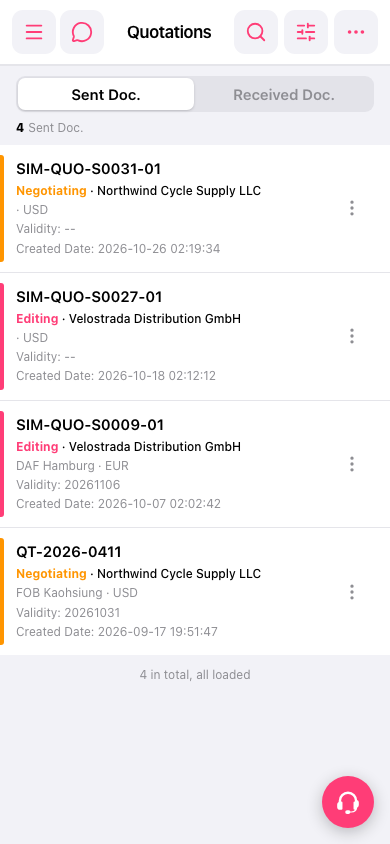 手機版|Quotations(報價單)