
1. On the Quotations page, tap the search icon at the top right and enter the quotation number or customer name. 2. To narrow down the list, tap the filter icon (slider symbol) to the right of the search icon and filter the list by conditions. 3. To create a new quotation, tap the "⋯" menu at the far right of the top right corner and check whether it contains an option to add a quotation. 4. If you have any problems while using it, tap the customer support icon at the bottom right to contact support or get help.
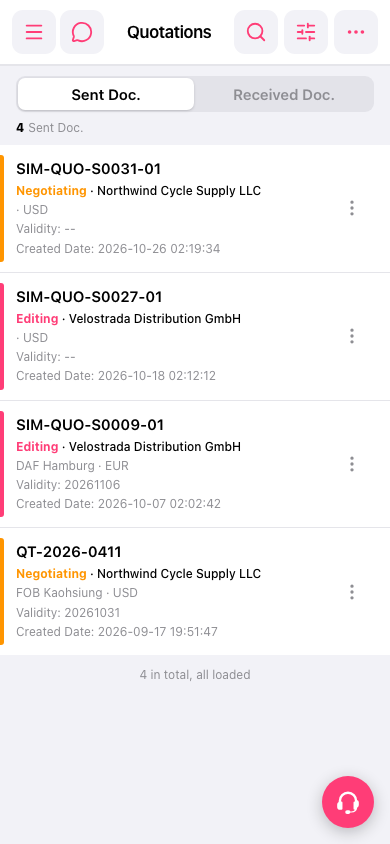 手機版|Quotations(報價單)