
1. In the left sidebar, click "Seller Management", then select the seller you want to view to open that seller's catalog page (seller catalog / product catalog). 2. Use the tabs in the left category panel (Brand, Public Display Requirements, Sales Method Requirements, Trade Document Requirements, System Service Method, Other Services) to narrow down the products. 3. You can also enter a minimum and maximum price in the price range on the left, then click "Apply" at the bottom of the panel. 4. In the product list, check the SKU, product name, price, and stock. 5. Click the shopping cart icon at the far right of the row of the product you want to buy to add it to the cart. 6. Click "Cart" at the top right to review the selected products and continue to place the order.
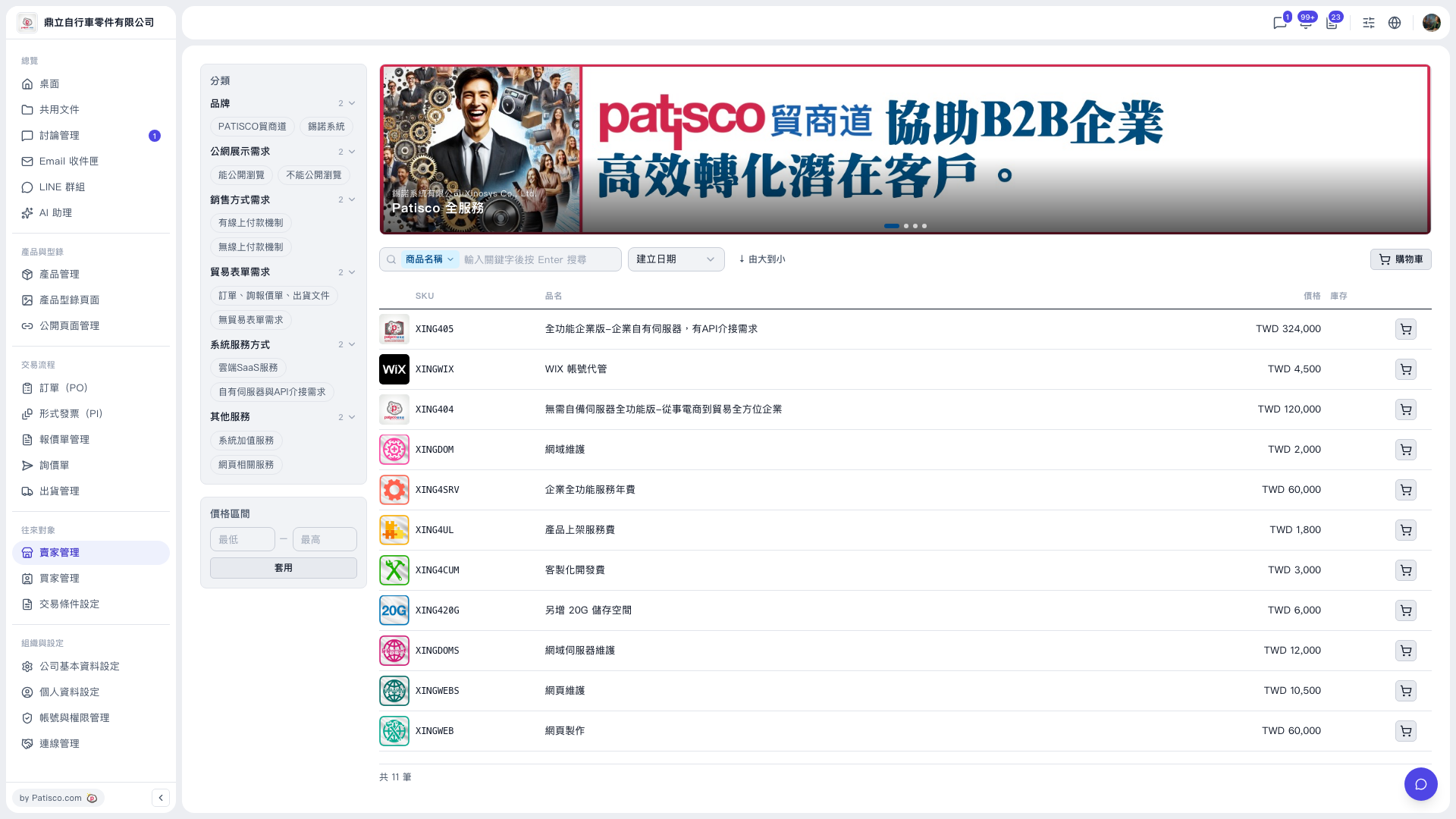 V5 新桌面版|賣家型錄(商品目錄)