
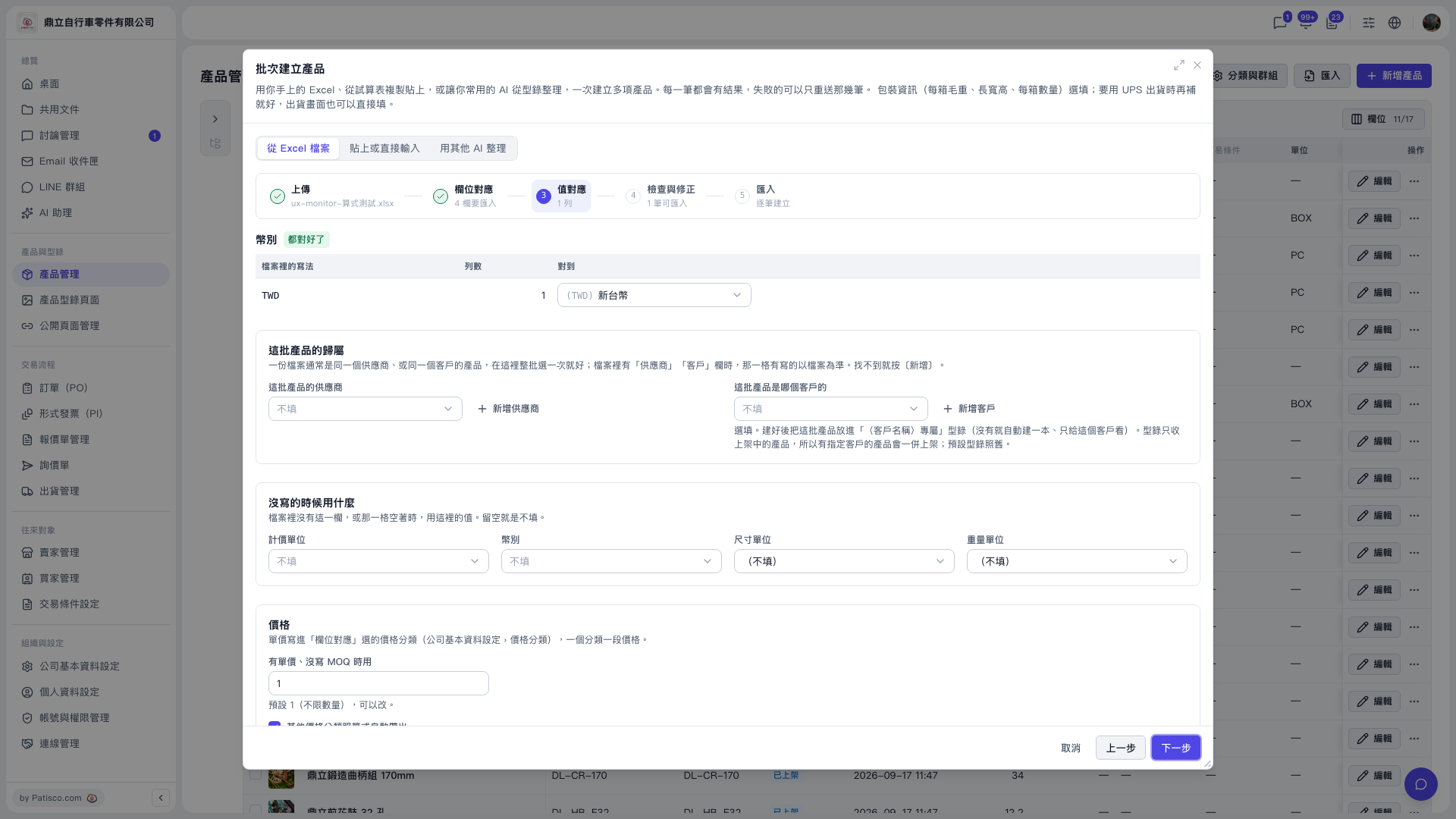
1. On the Product Management page, click "Import" or "Add product" at the top right to open "Bulk create products", and select "From Excel file". 2. Upload the Excel file, and first map the columns in the "Column mapping" step. 3. Go to the "Value mapping" step and look at the currency mapping table: "How it's written in your file" is TWD, and in the "Maps to" column, select "(TWD) New Taiwan Dollar" from the dropdown. 4. When everything is mapped, the label shows "All mapped". 5. After confirming, click "Next" at the bottom right of the dialog to go to step 4, "Review and fix". To change the columns, click "Back" to return to "Column mapping".
Note: "Value mapping" also has "Auto-fill other price categories by formula", which is checked by default. Taking the demo account as an example, "Second Test Price" is filled in automatically (base "Test Price" -15%, rounded to the nearest integer, MOQ follows base).
 V5 新桌面版|批次建立產品(產品管理頁面上的對話框)