
1. After logging in, go to the "Desktop" (the page title shows "Desktop (Welcome back, …)"). 2. First look at the "Documents to handle" card. It lists the type, document number, counterparty, due date, and status, so you can check which documents expire within seven days. 3. Use "List / Timeline" at the top right to switch the display mode and see which one works better for you. 4. Click a document row (for example, the quotation QT-2026-0411 that is under discussion) to open and handle it. 5. If you think the data is not up to date, click "Refresh" at the top right of the card to reload it.
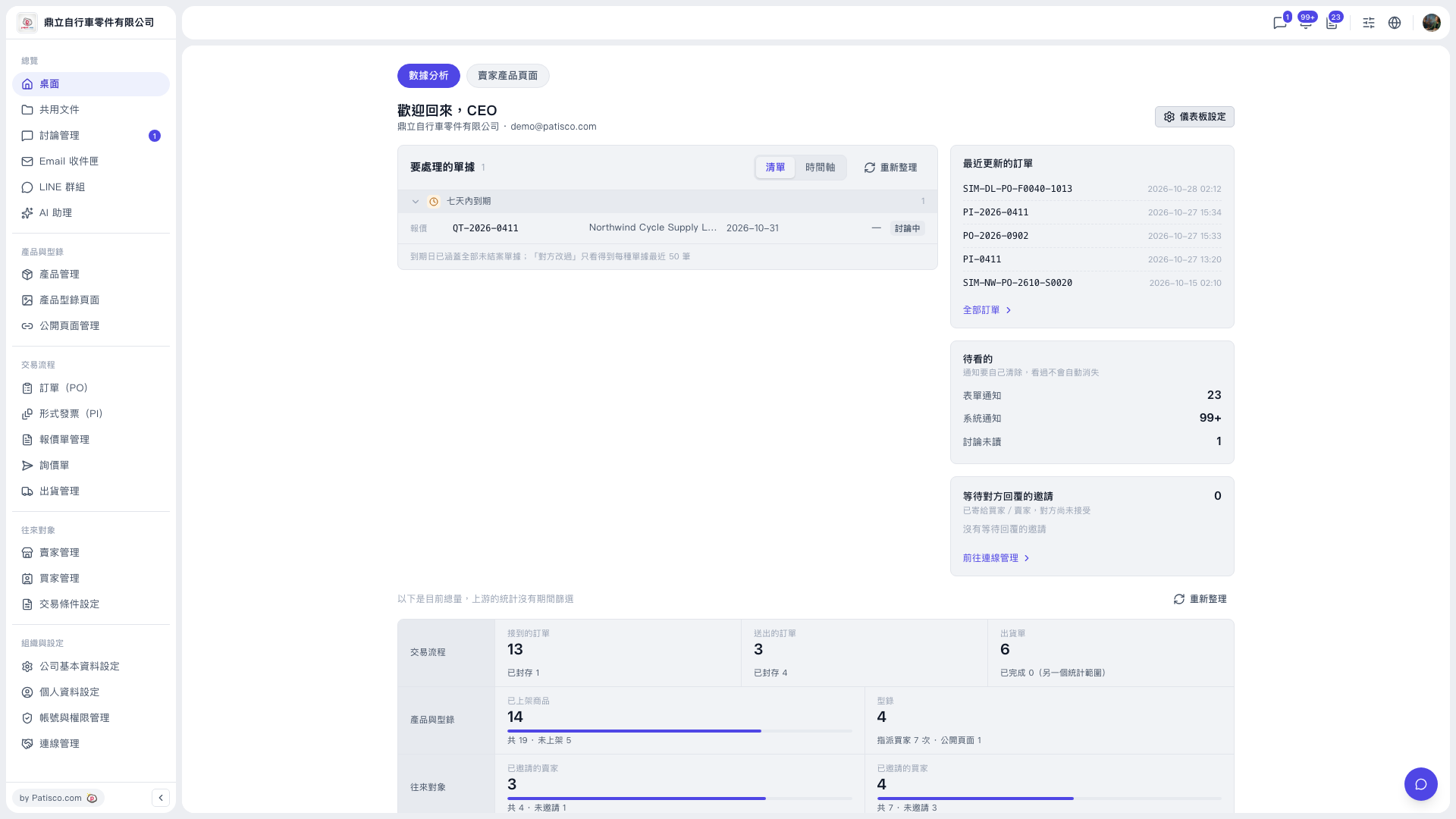 V5 新桌面版|桌面(歡迎回來,CEO)