
1. In the left sidebar, click "Discussion Management". 2. Click the "New discussion" button (blue-purple) at the top of the discussion list on the left to create a new thread. To continue an existing one, you can also just select an existing thread in the list. 3. In the "Discussion info" panel on the right, click "Add participant" and choose an external contact from the candidate list (for example, buyer Jonas Berger of Velostrada Distribution GmbH). 4. After adding, the email participant is marked "Email" in the participant list (for example, einkauf@velostrada.example). 5. Type your content in the "Type a message" field at the bottom, then choose how to send it as needed (see the next question).
You can ask the AI assistant like this: "Create a discussion and add buyer Jonas Berger to it." The AI will reply like this: the candidate list shows the buyer contacts that can be added (3 were returned in testing), and once you select one, the email participant can be created.
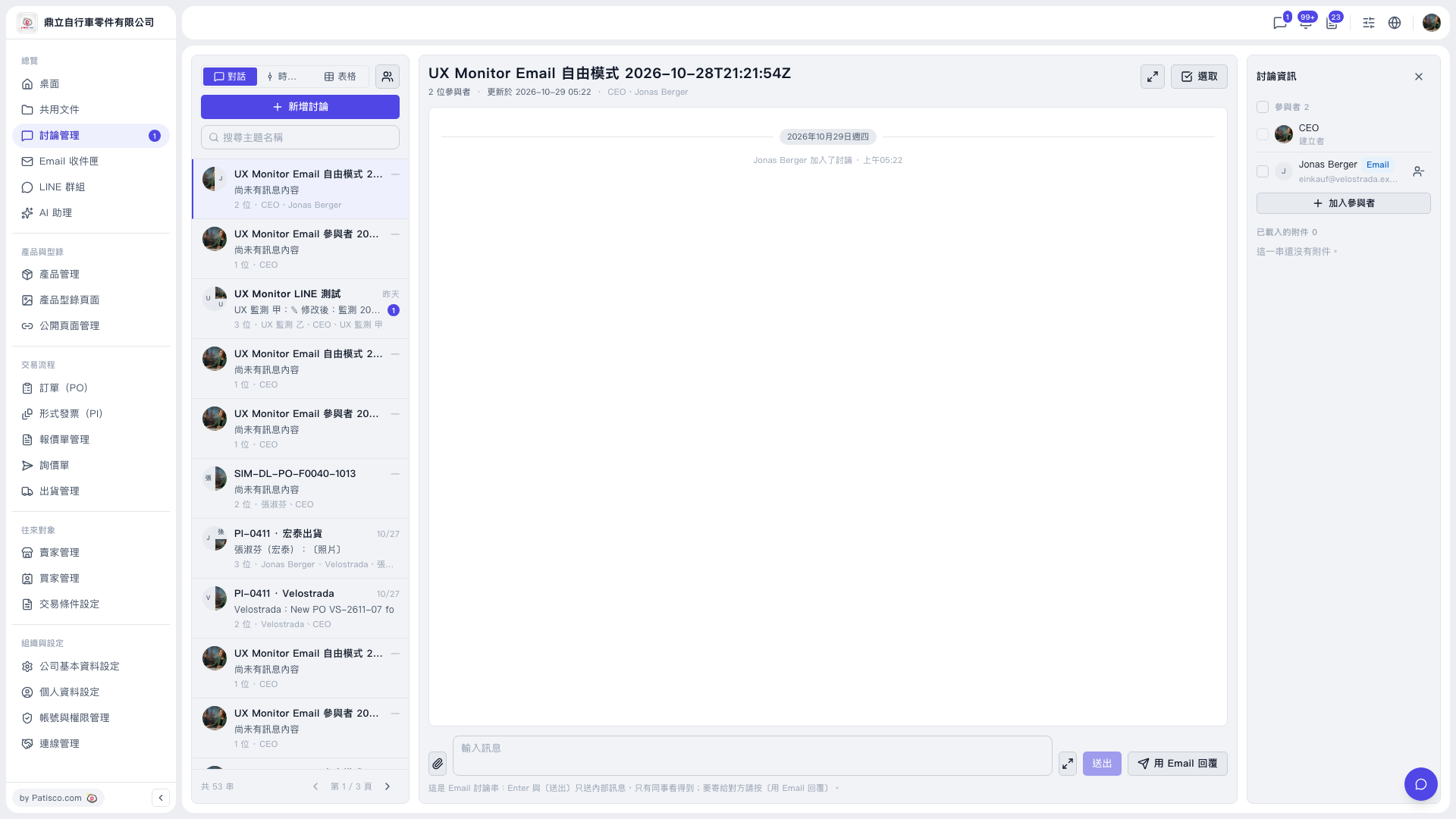 V5 新桌面版|UX Monitor Email 自由模式 2026-10-28T21:21:54Z(討論管理)