
1. Go to the "Discussions" page in the mobile version and make sure the tab at the top is on "Discussion". 2. In the "Search topic" box below the tab bar, enter a keyword, such as a PI number or customer name. 3. Find the topic you want in the list. The list shows the topic name, a preview of the latest message, and the time of the last message. 4. Tap the discussion topic row to open the conversation, where you can view or reply to messages.
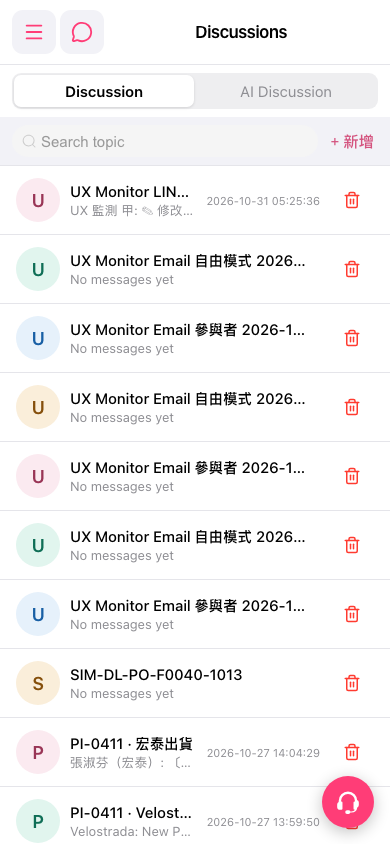 手機版|Discussions(討論)