
Add: 1. Go to the "Discussions" page and tap "+ New" on the right side of the search bar. 2. Fill in the topic name and participants, then confirm to create it.
Delete: 1. Find the topic you want to delete in the list and tap the red trash can icon on the right side of that row. 2. Confirm the deletion in the confirmation window that appears.
Use AI: 1. Tap "AI Discussion" in the tab switcher at the top of the page to switch from regular discussions to AI discussions. 2. To return to regular discussions, tap "Discussion" again.
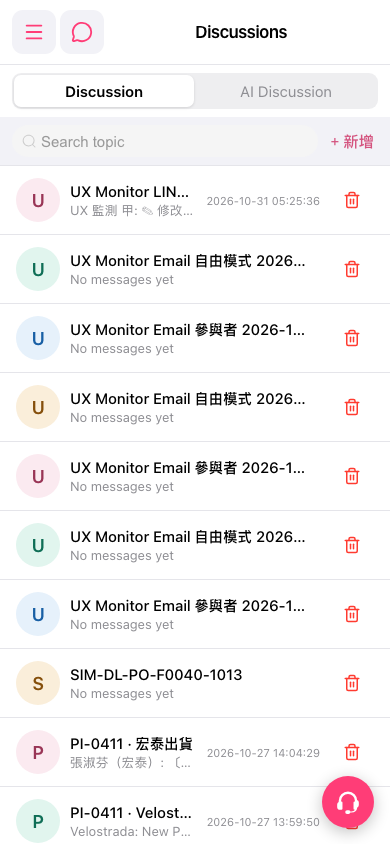 手機版|Discussions(討論)