
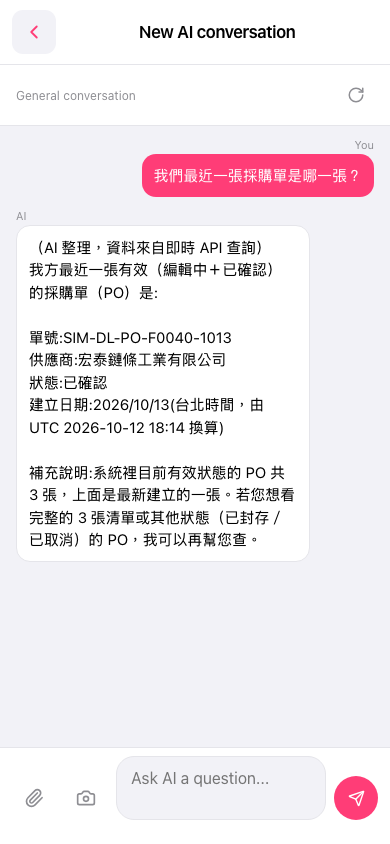
1. Go to the AI conversation page (General conversation). 2. Tap the "Ask AI a question..." input box at the bottom. 3. Type your question. If needed, tap the paperclip on the left of the input box to attach a file, or the camera icon to attach an image. 4. Tap the pink send (paper plane) button at the bottom right. 5. Wait for the AI to run the lookup and reply, then check the document number, supplier, status and creation date in the reply.
You can ask: "Which is our most recent PO?" The AI will reply: It explains that the data comes from a live API query and lists the document number of the most recent active PO (for example, SIM-DL-PO-F0040-1013), the supplier, the status (Confirmed) and the creation date (2026/10/13, Taipei time). It also adds that there are currently 3 POs in an active status.
 手機版|New AI conversation