
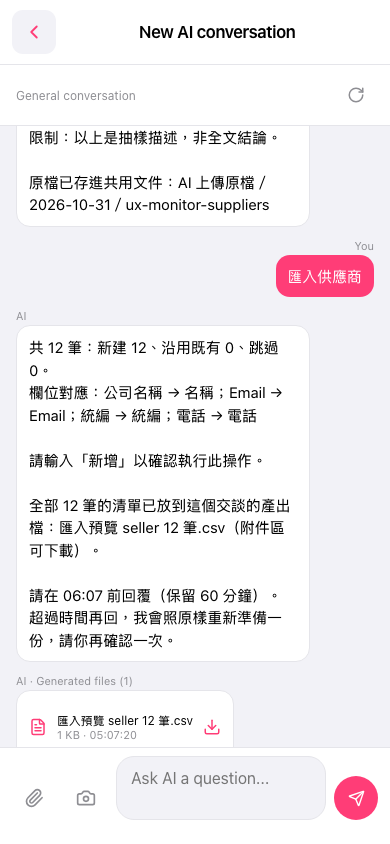
1. After the AI replies, a file card labeled "AI · Generated files (1)" appears in the conversation. The file name is "匯入預覽 seller 12 筆.csv". 2. Tap the "download icon" on the right side of the card to download the file and check all 12 records. 3. If everything looks fine, type "Add" and send it within the time limit shown (for example, before 06:07, held for 60 minutes) to run the import. 4. If the time limit has passed, reply again. The AI will prepare the same preview again as before, and you will need to confirm once more.
You can ask: Reply "Add" to confirm the import. The AI will say: "Please reply before 06:07 (held for 60 minutes). If the time has passed, reply again and I will prepare it again as is; please confirm once more."
 手機版|New AI conversation